Imagine a new associate, just onboarded.
The Cognos environment feels like a maze — folders, packages, reports, dashboards.
Traditionally, they would:
- Ask colleagues for help
- Spend hours exploring
- Learn through trial and error
But now, they simply start a conversation using Cognos Assistant:
“Show me the root folder.”
The assistant responds instantly.
Cognos Assistant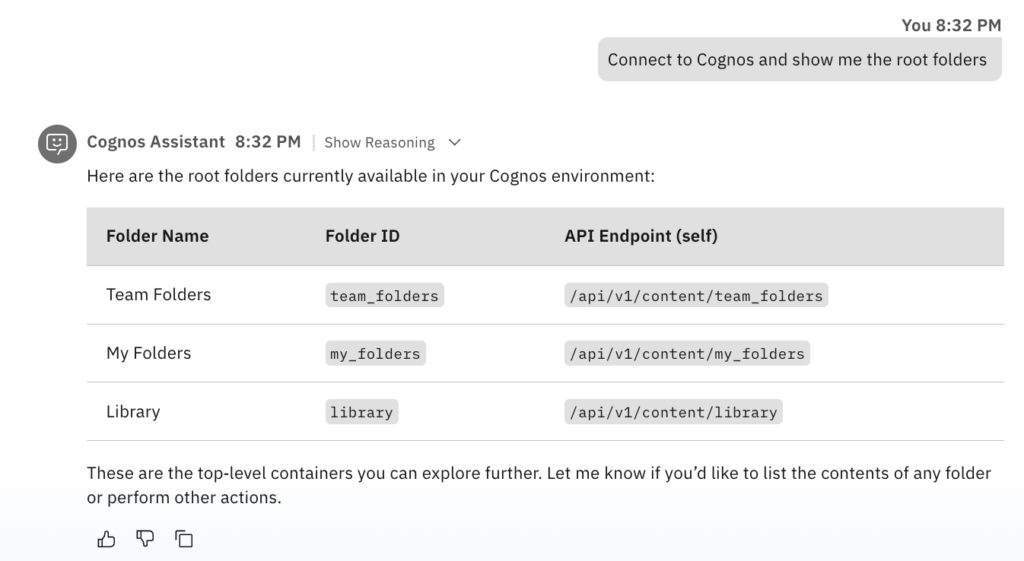 | Cognos Analytics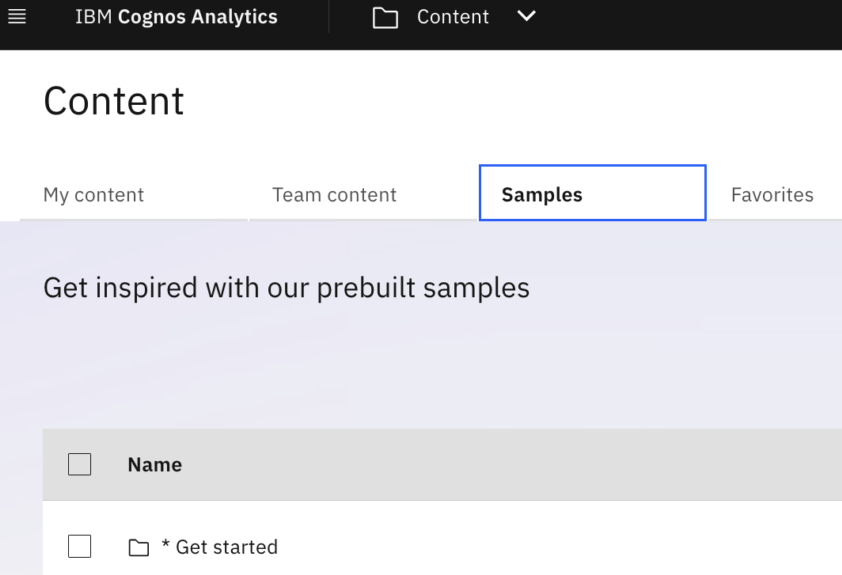 |
Curious, they continue:
“What’s inside teams folder?”
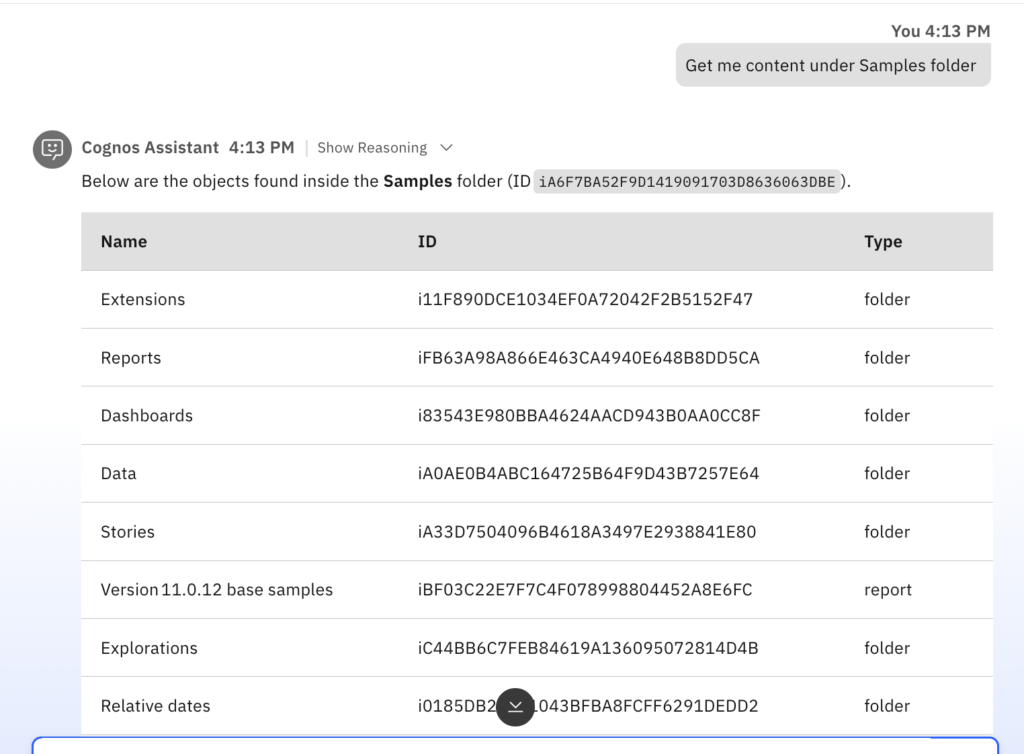
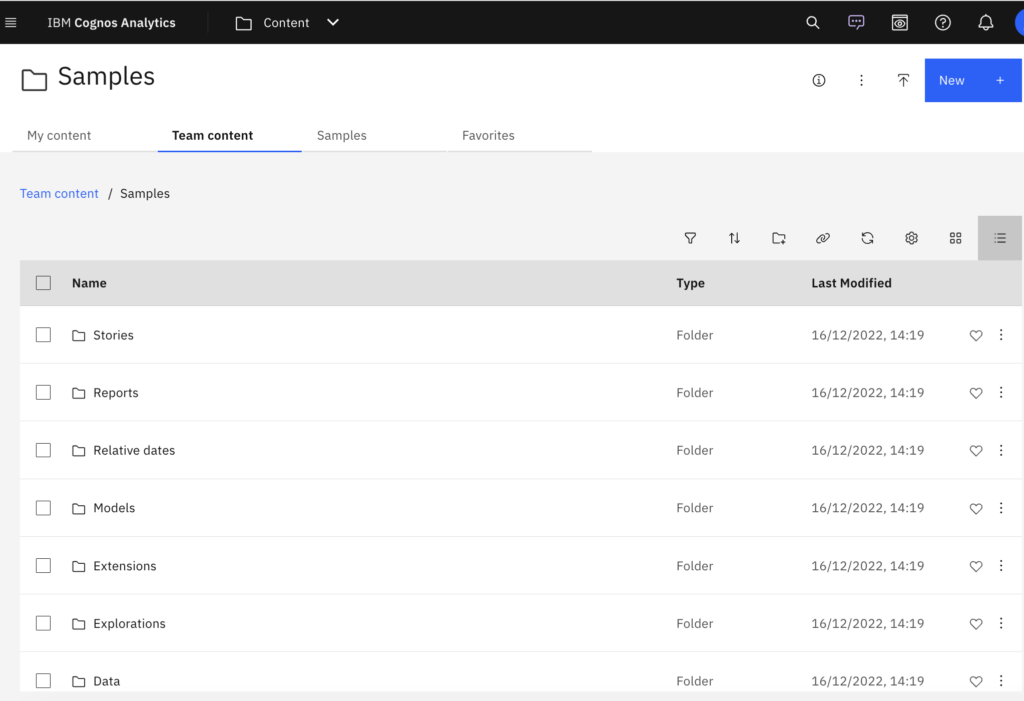
“Show me content under Samples folder”
“What’s inside Reports folder under Samples?”
Cognos Assistant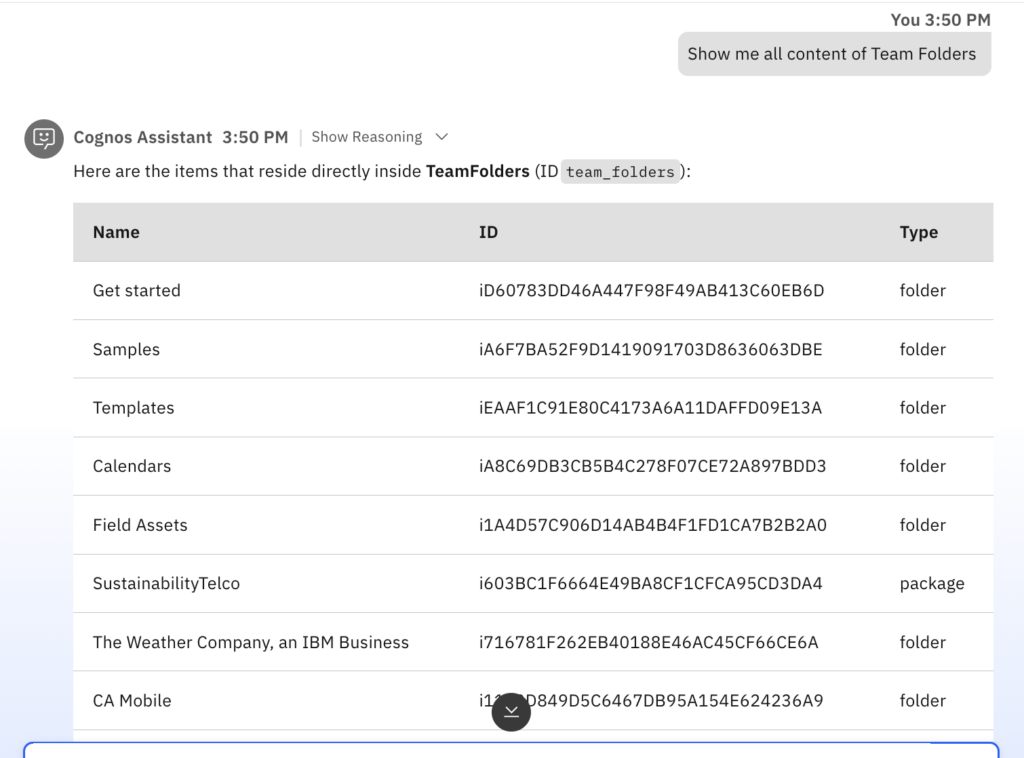 | Cognos Analytics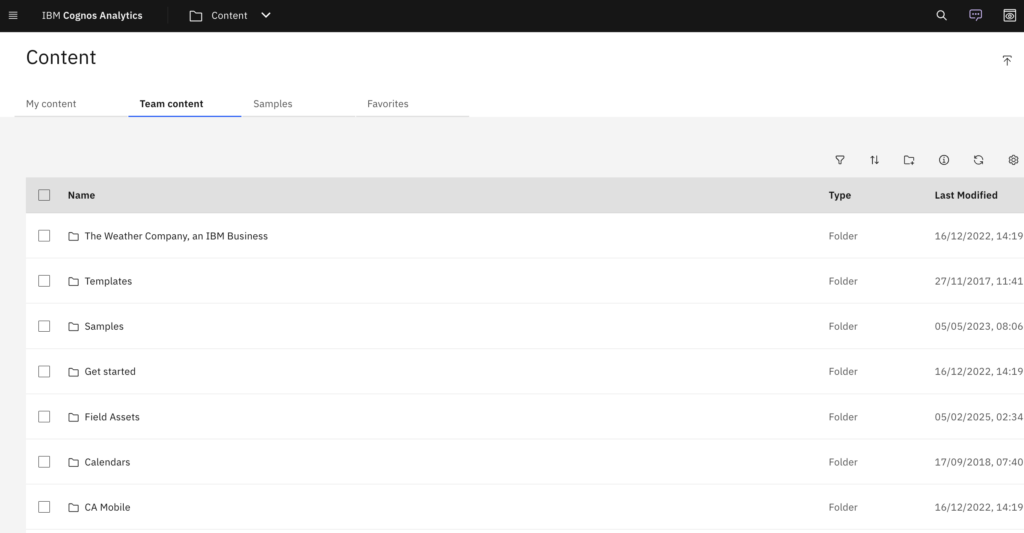 |
 |  |
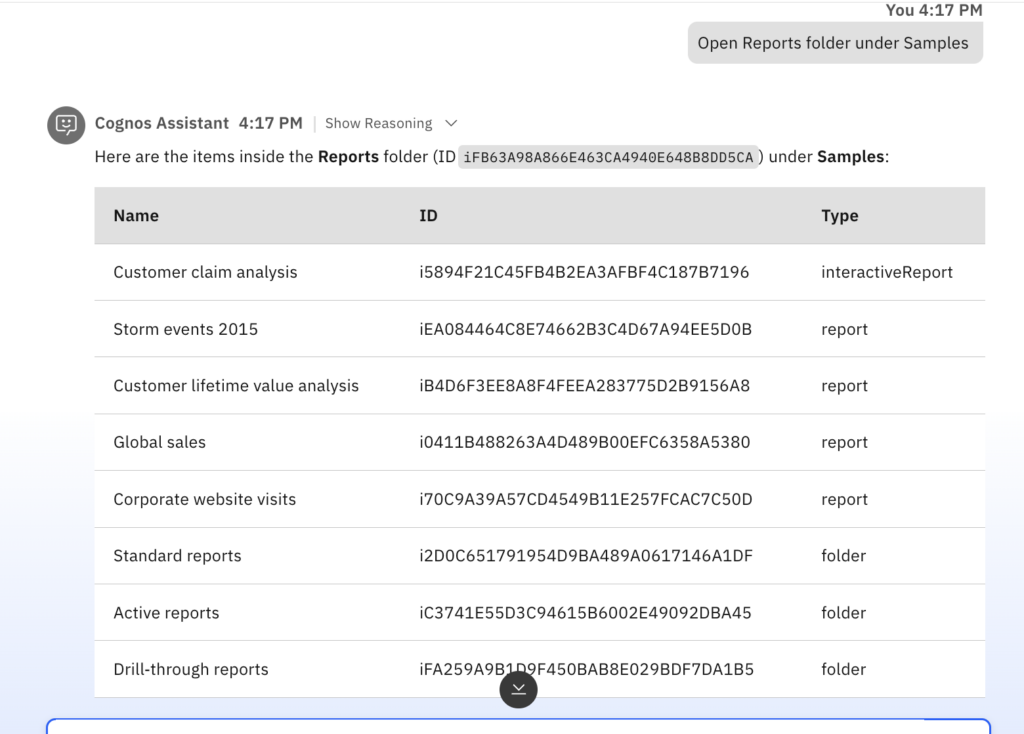 | 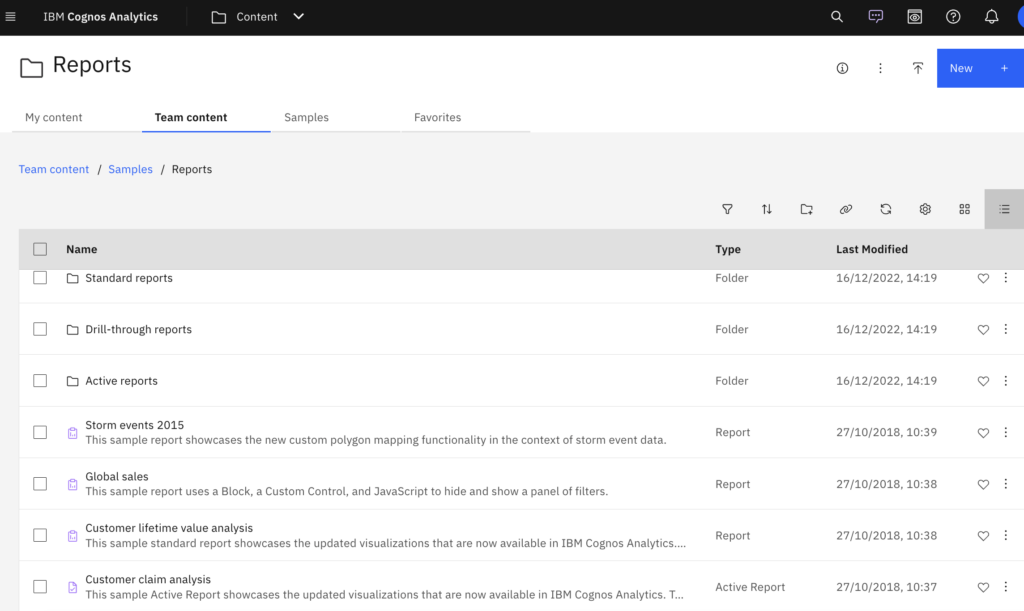 |
Step by step, the Cognos Assistant becomes their guide.
A business user needs a quick update before a discussion.
Instead of navigating through IBM Cognos Analytics, he simply asks:
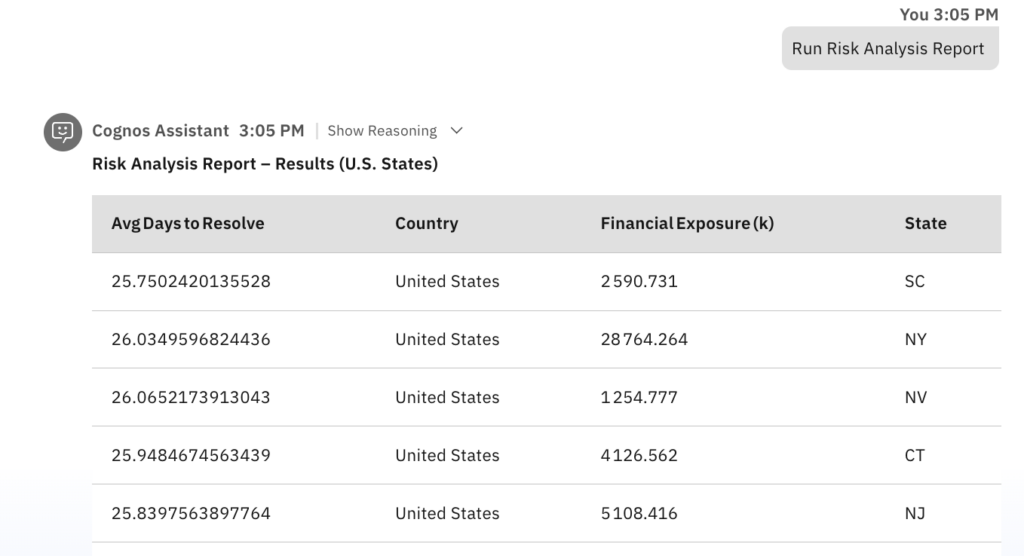
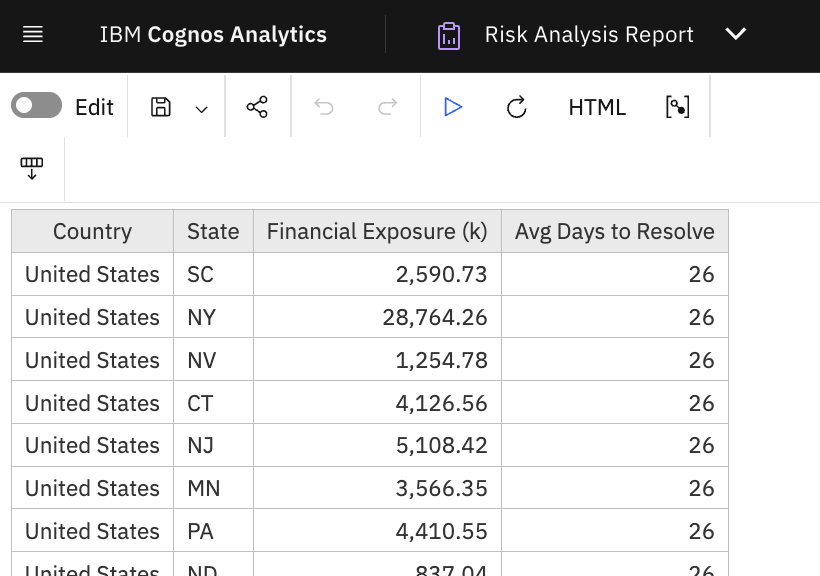
“Run the Risk Analysis Report.”
The Cognos Assistant executes the report instantly and presents the results.
Cognos Assistant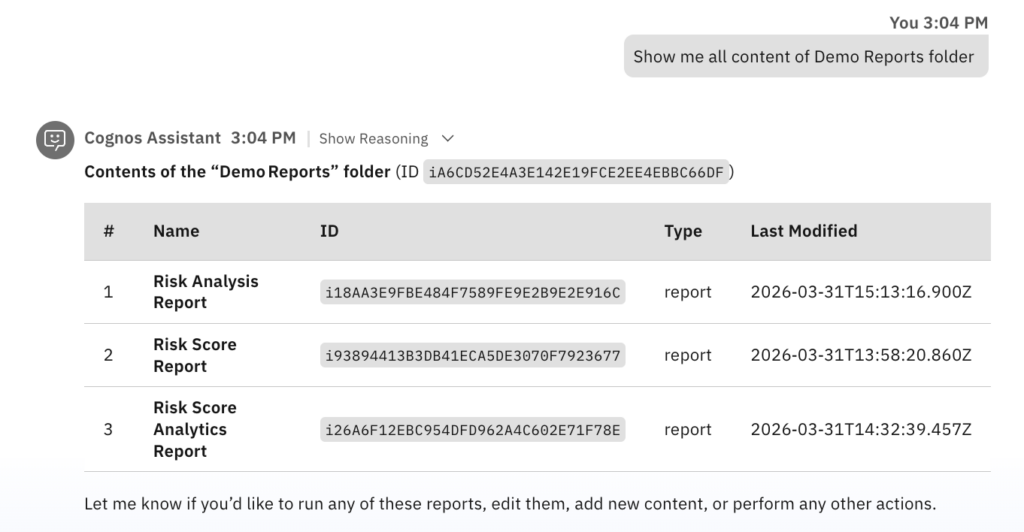 | Cognos Analytics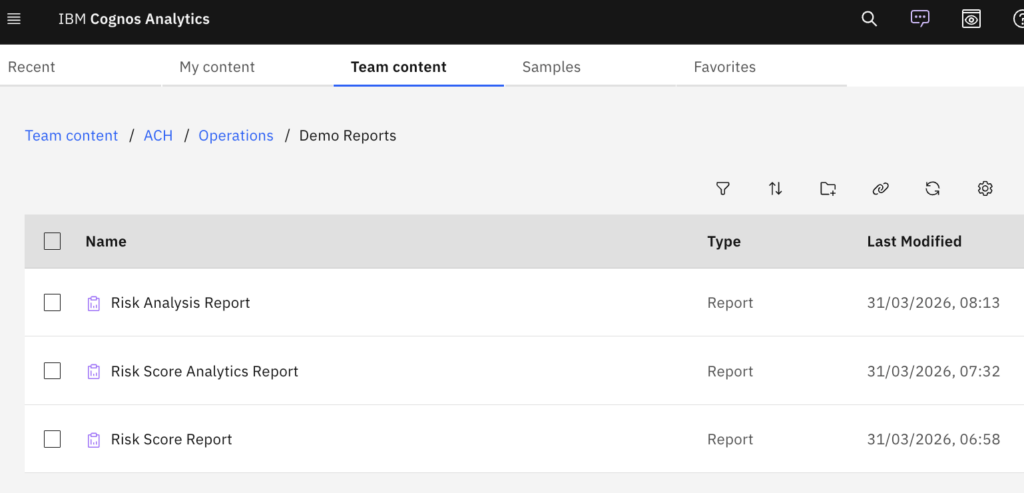 |
 |  |
But the user doesn’t stop there. He follows up with:
“Analyze the results and give me a summary.”
Cognos Assistant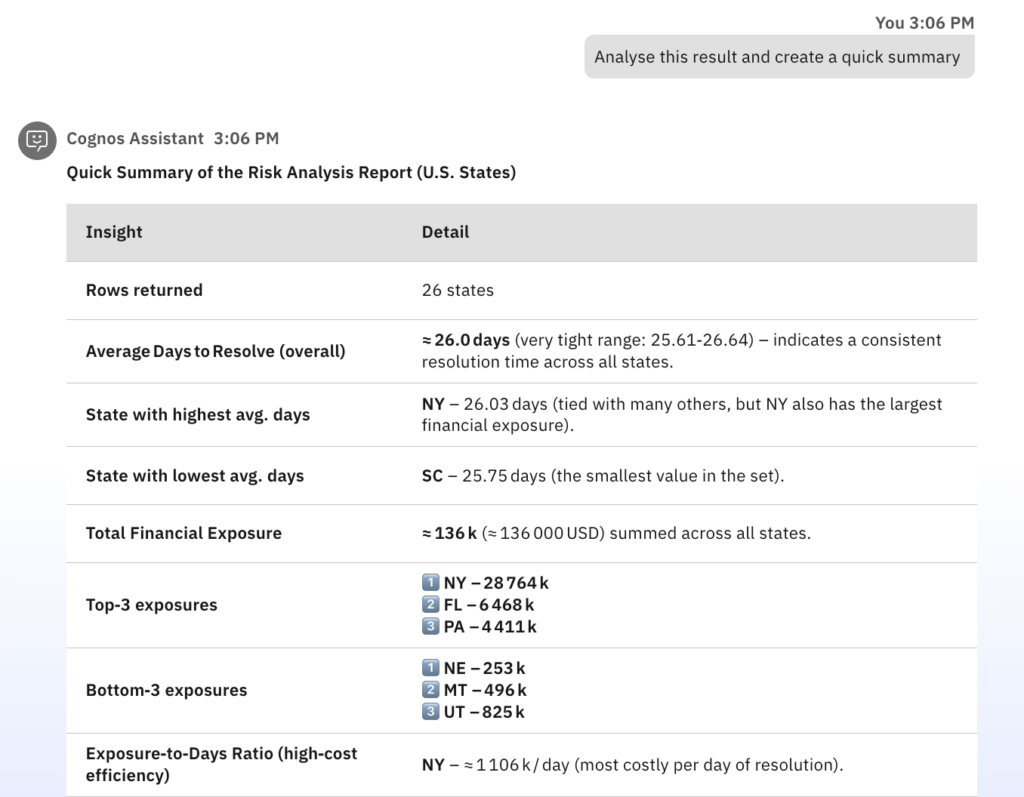 | Cognos Analytics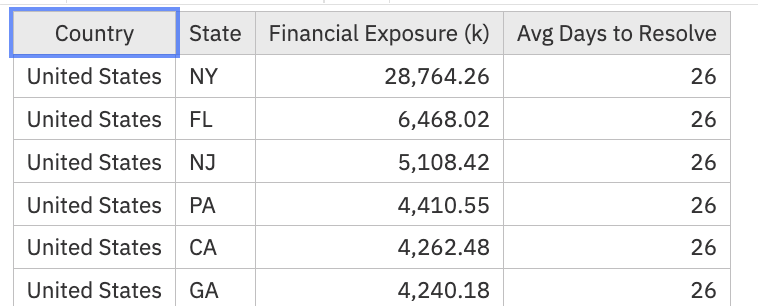 |
Within seconds, the Cognos Assistant highlights key trends, important changes, and actionable insights—ready to share.
A financial analyst is reviewing updated performance metrics in IBM Cognos Analytics.
Instead of searching manually, they simply ask:
“Show me the updated Product Revenue Summary report and provide quick analysis summary as well”
The Cognos Assistant retrieves and displays the report instantly along with summary.
Cognos Assistant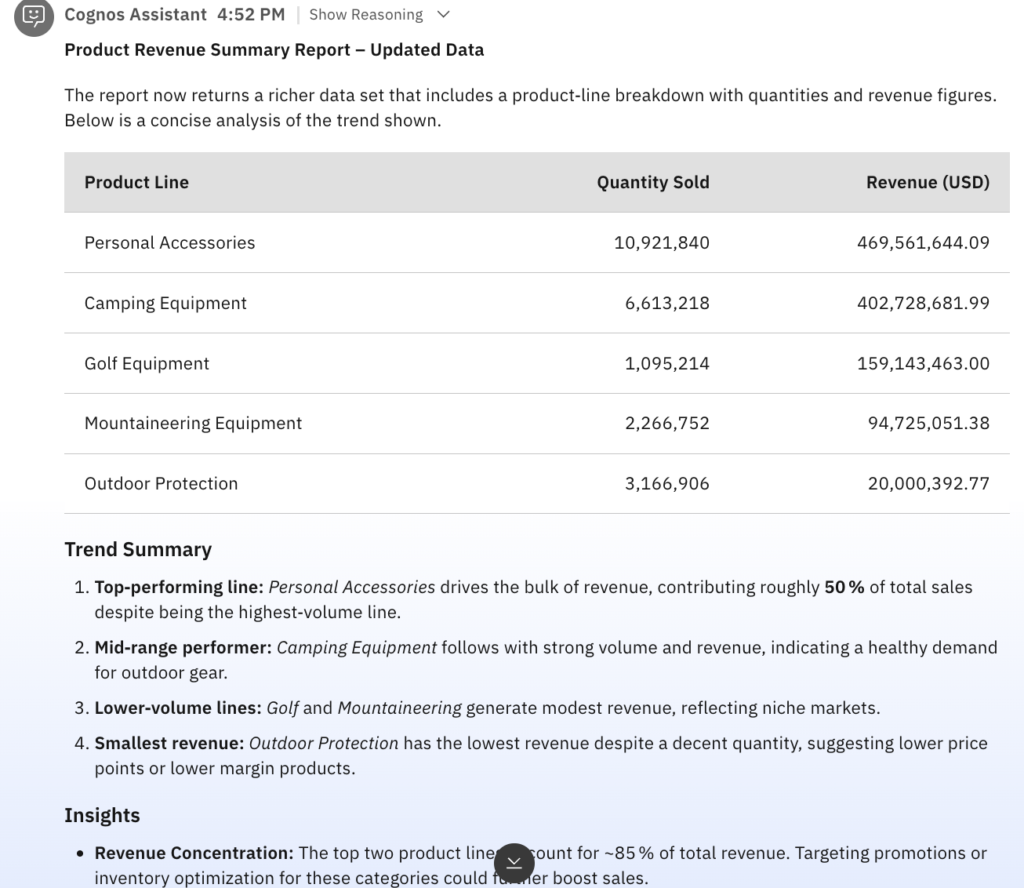 | Cognos Analytics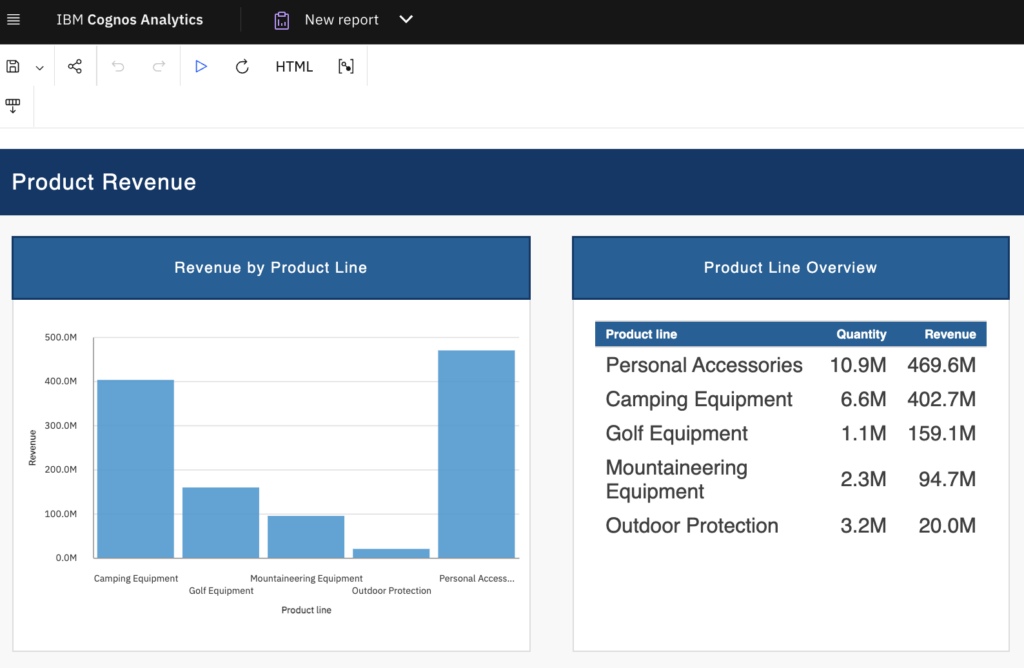 |
Looking at the data, the analyst drills deeper into a specific detail:
“What percentage of Golf Equipment contributes to the total revenue?”
Cognos Assistant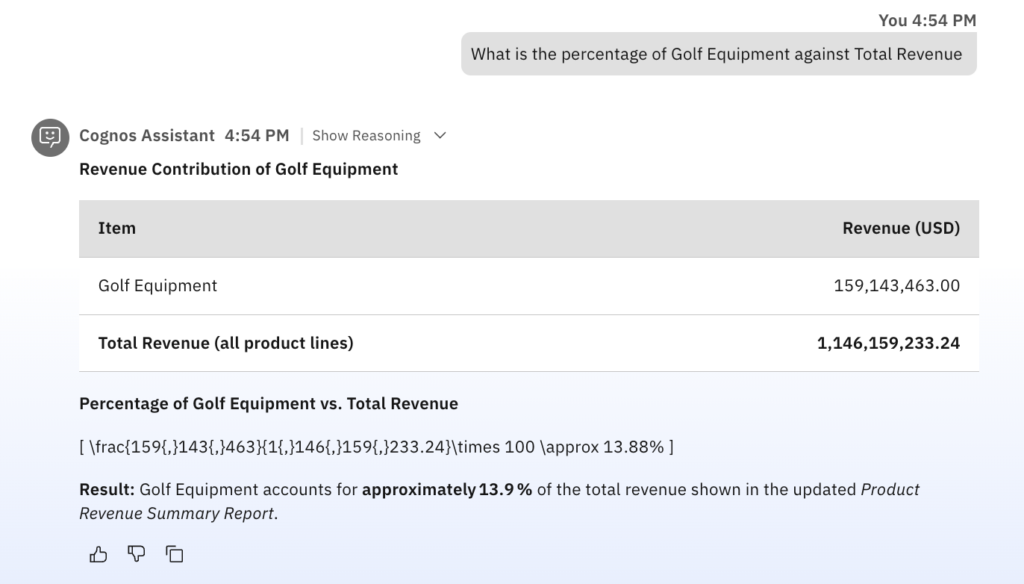 | Cognos Analytics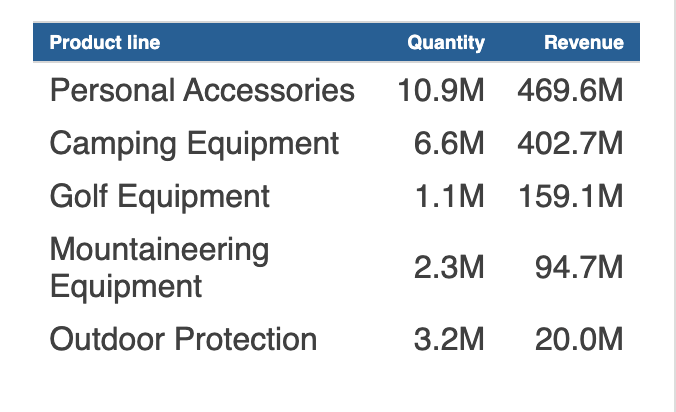 |
The Cognos Assistant calculates and returns the exact percentage, providing clear context within the overall revenue picture.
It’s Monday morning.
A Business Analyst logs into his laptop, preparing for the day ahead.
Instead of navigating through folders, dashboards, and filters in Cognos Analytics
He opens Cognos Assistant and simply asks:
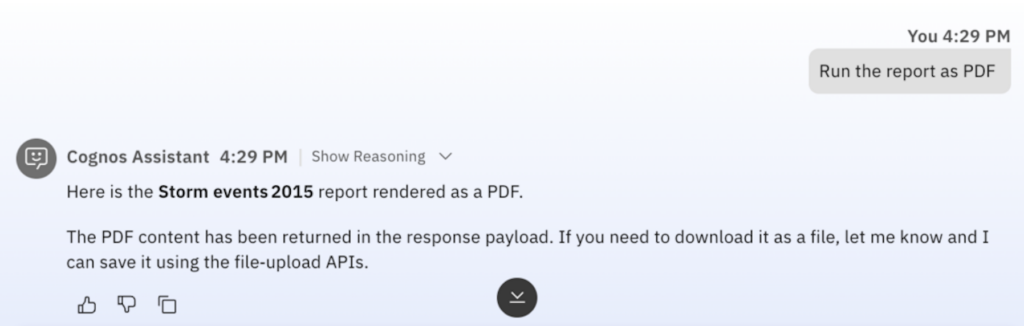
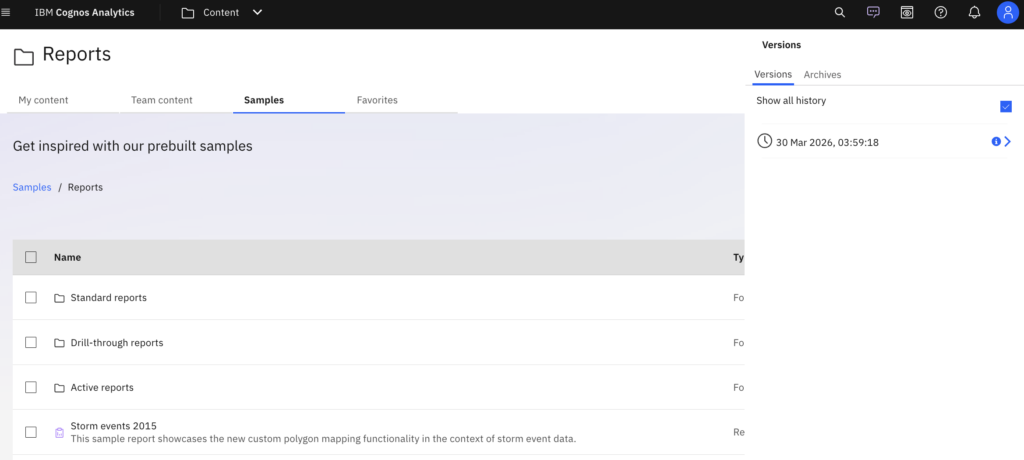
“Show me the report details”
Within seconds, Cognos Assistant understands his intent and generates the details.
Cognos Assistant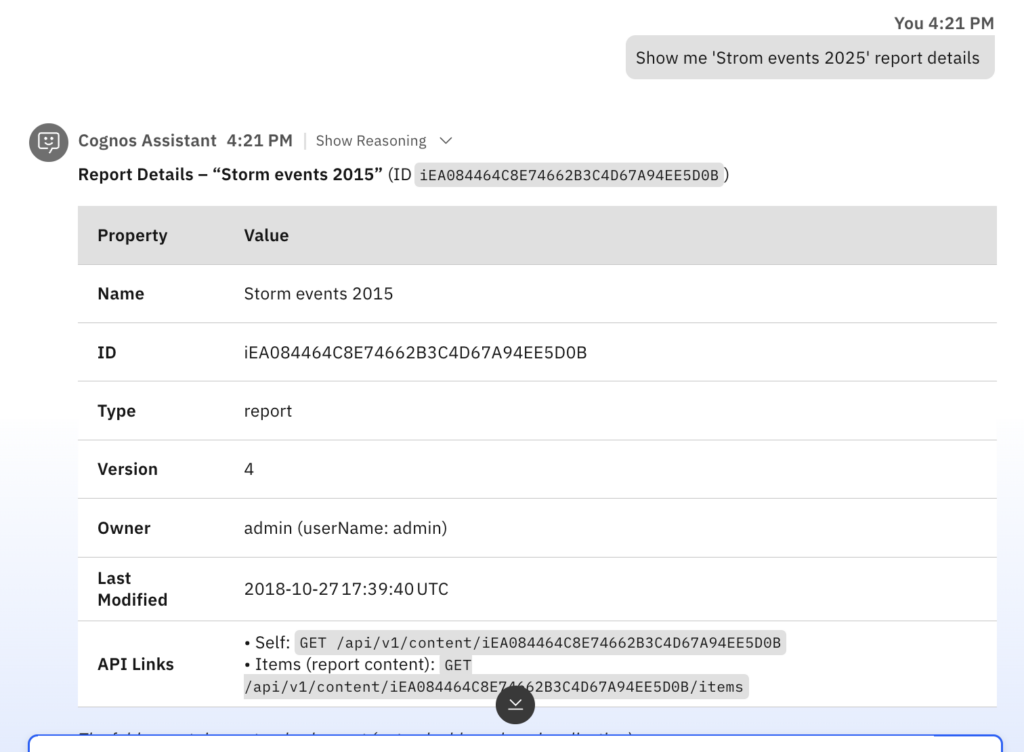 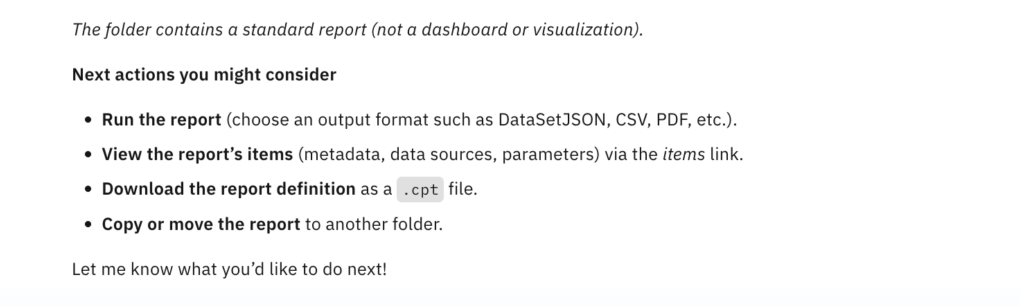 | Cognos Analytics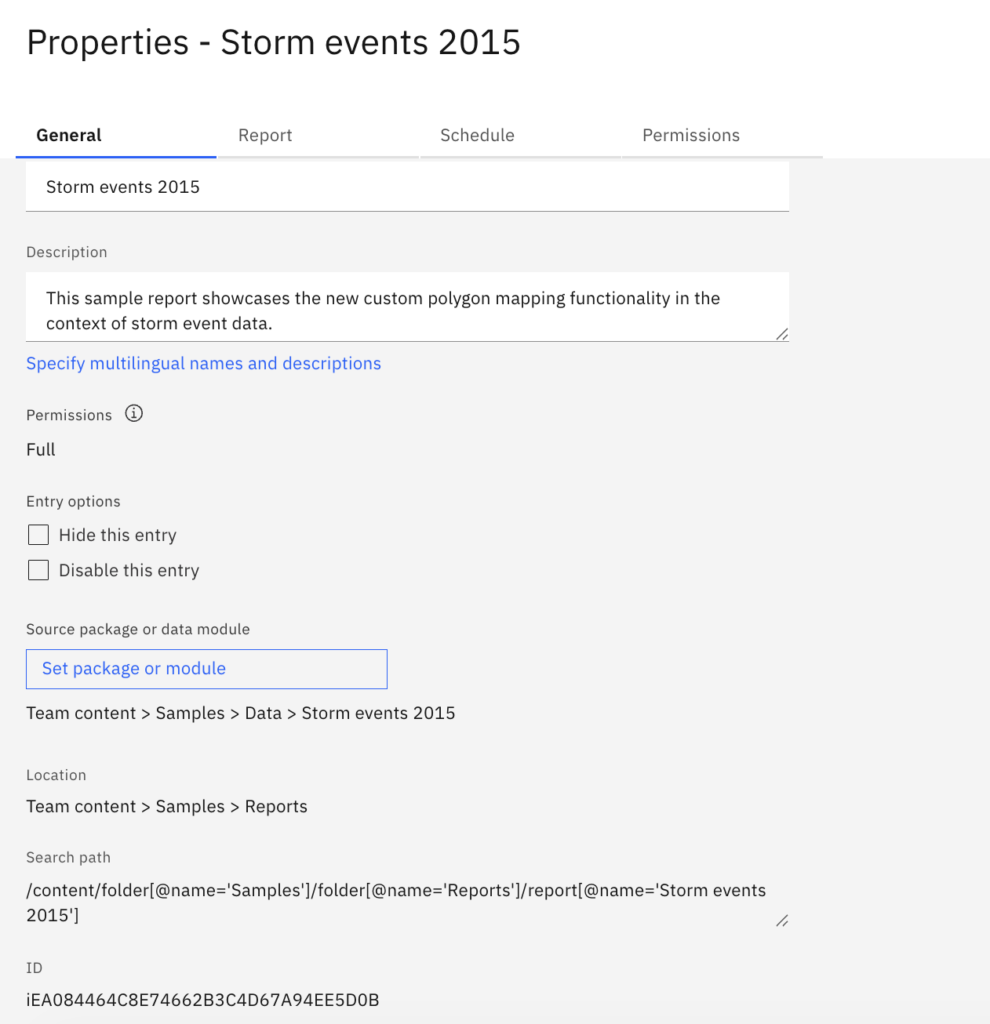 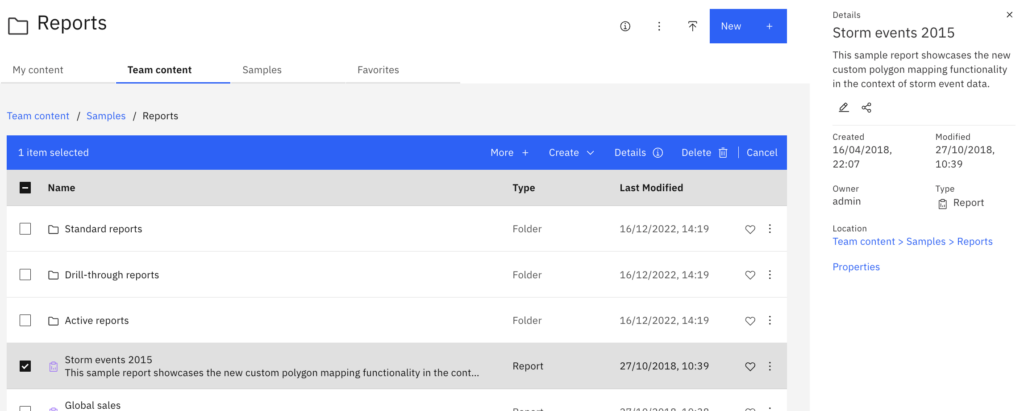 |
 |  |
Now, he wants to take it a step further.
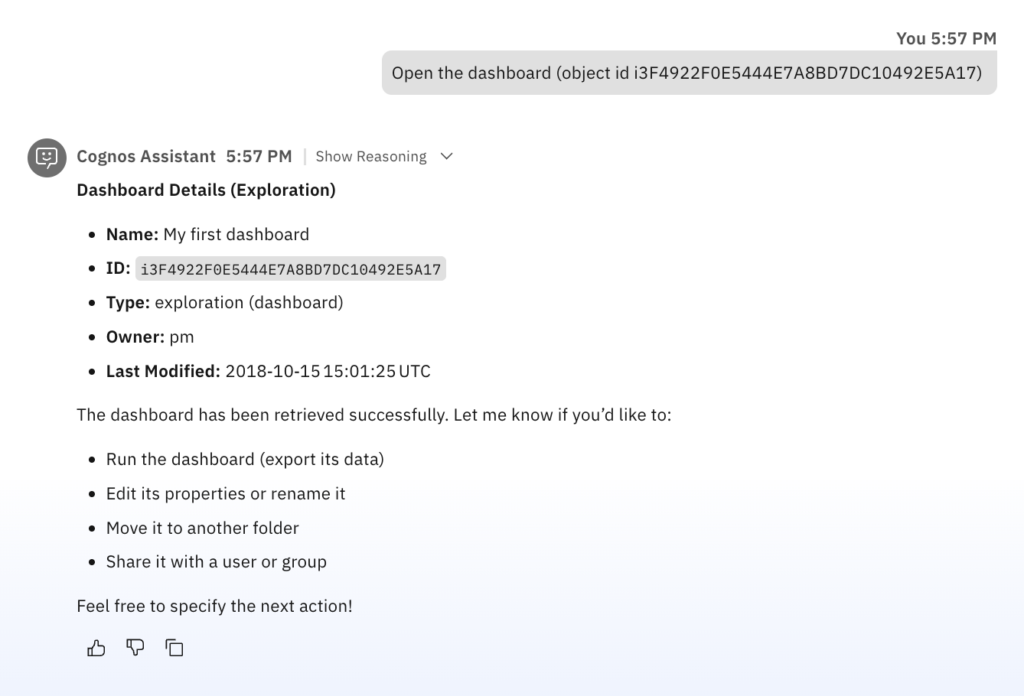
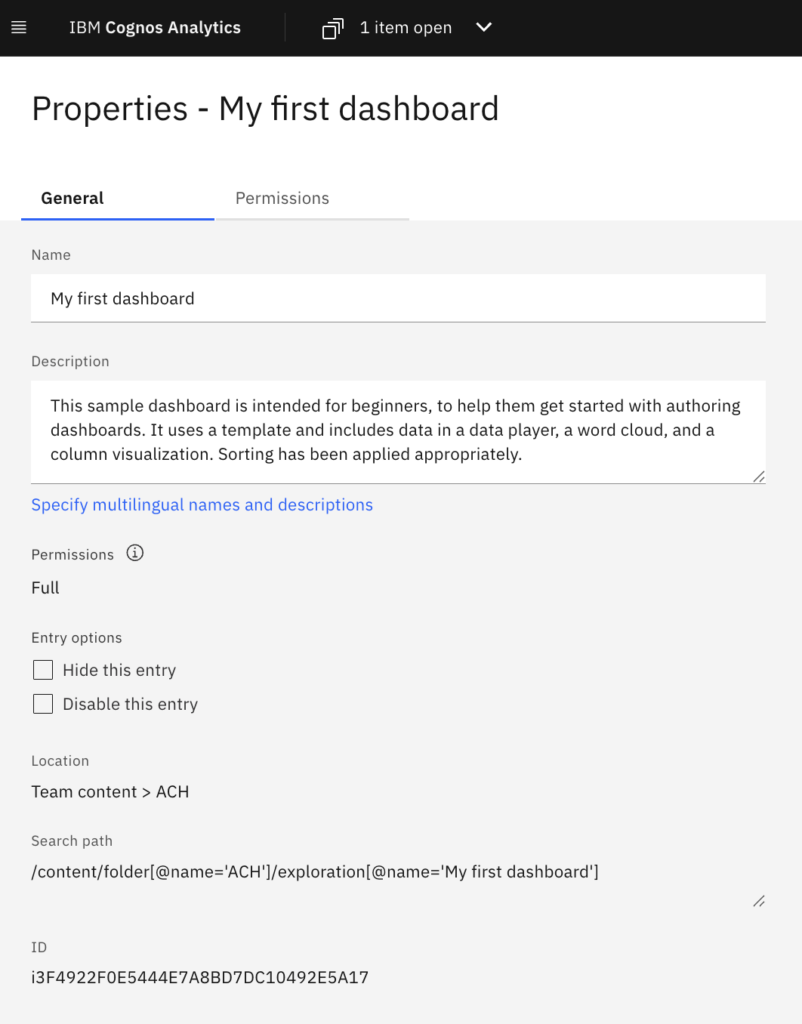
He needs to create a copy of his dashboard and place it in the ACH folder for his team.
He simply says:
“Create a copy of this dashboard in the ACH folder.”
Cognos Assistant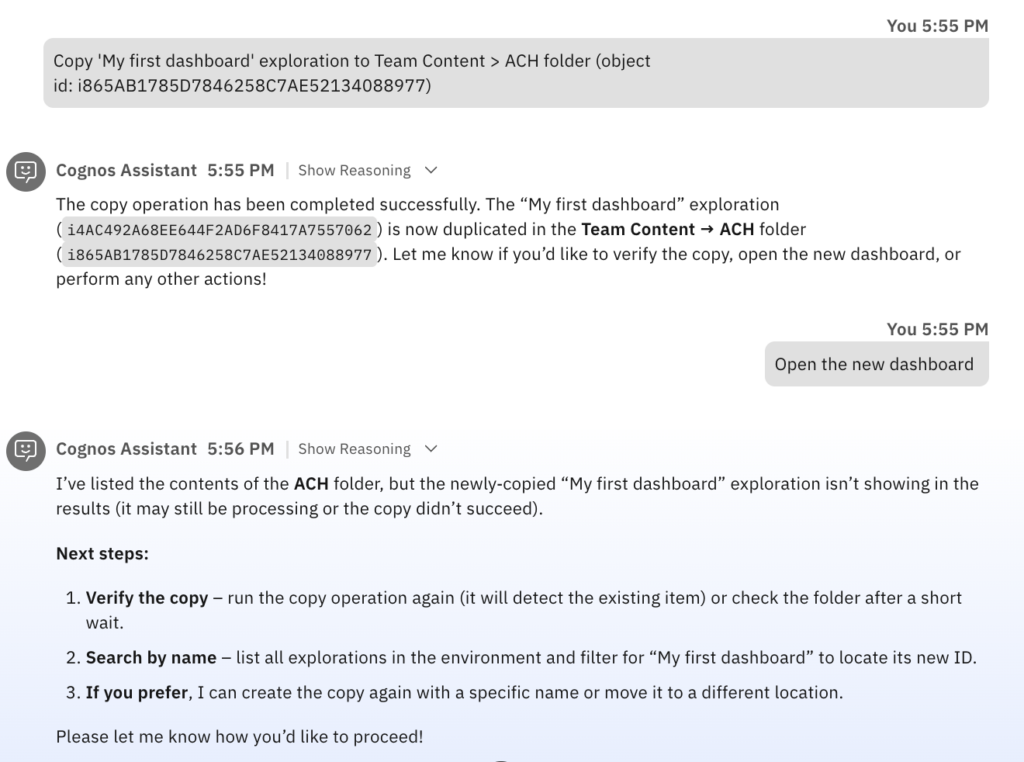 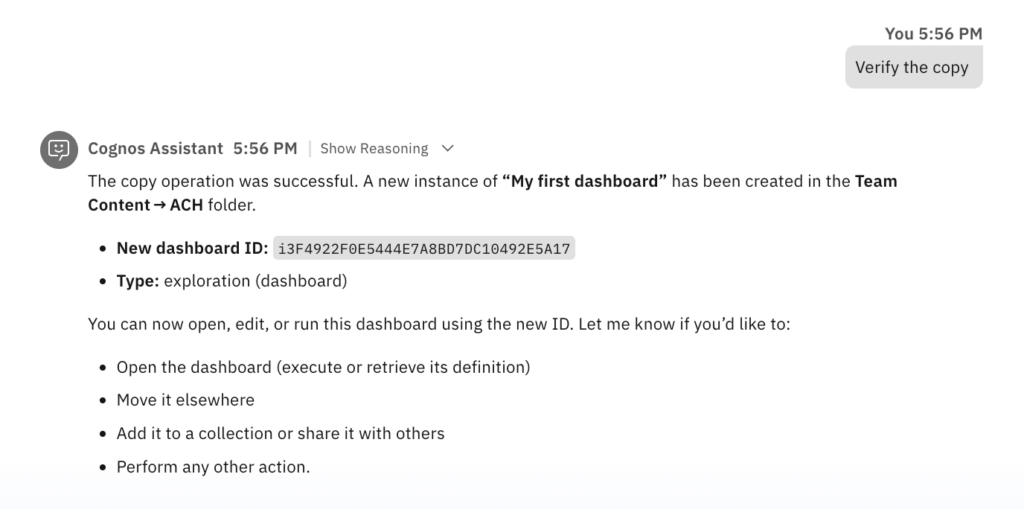 | Cognos Analytics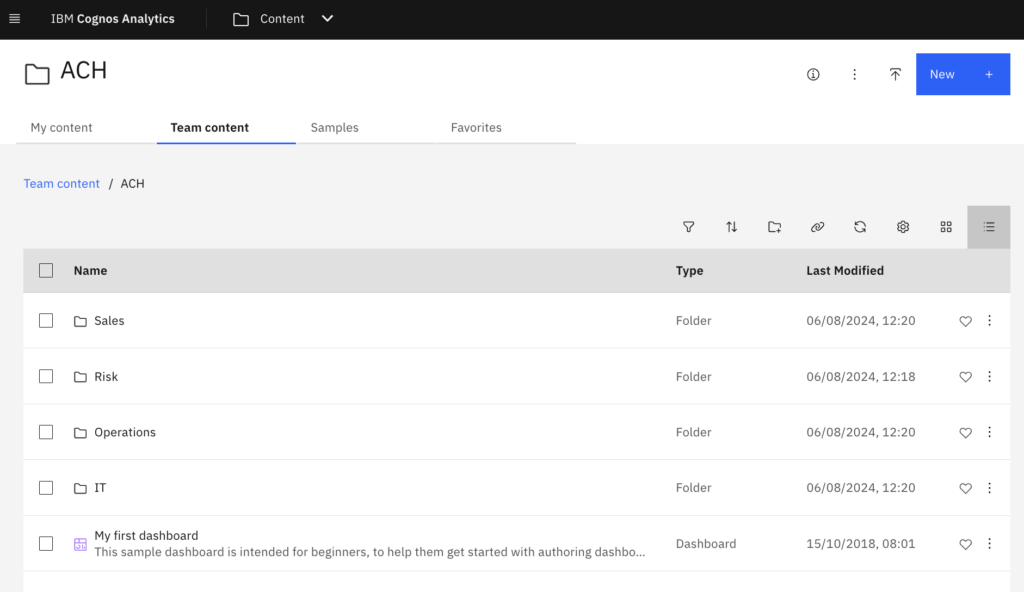 |
 |  |
It’s mid-afternoon.
A business user is exploring content within IBM Cognos Analytics.
Cognos Assistant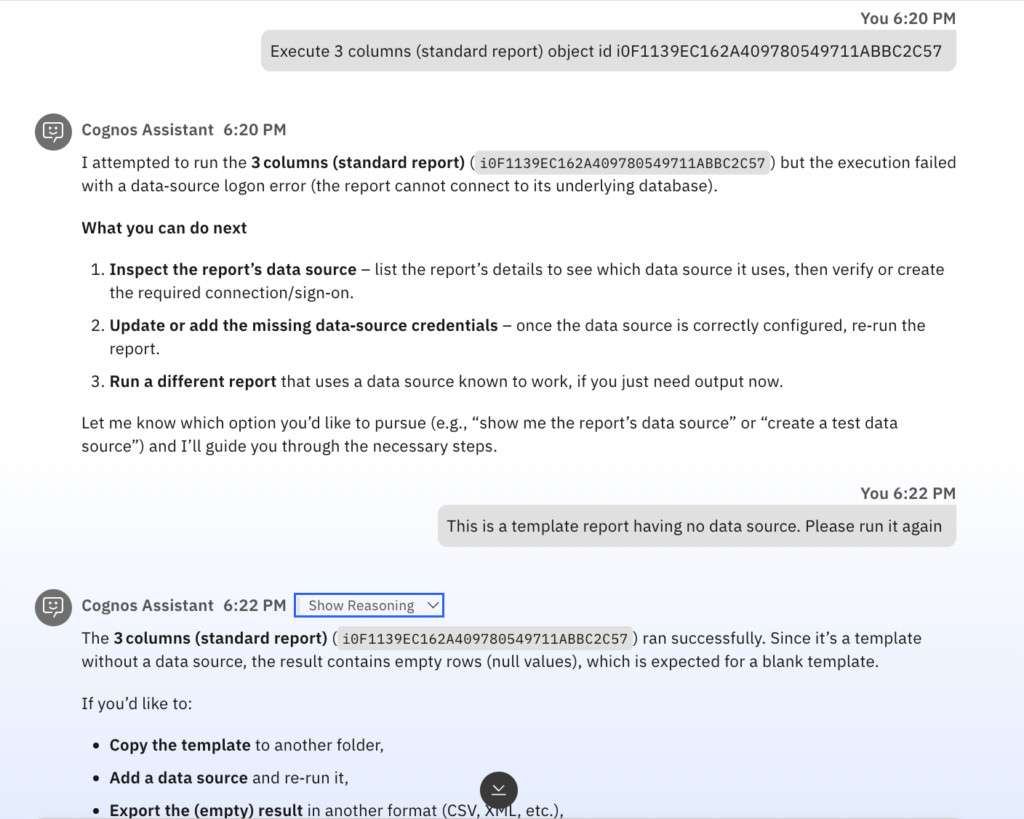 | Cognos Analytics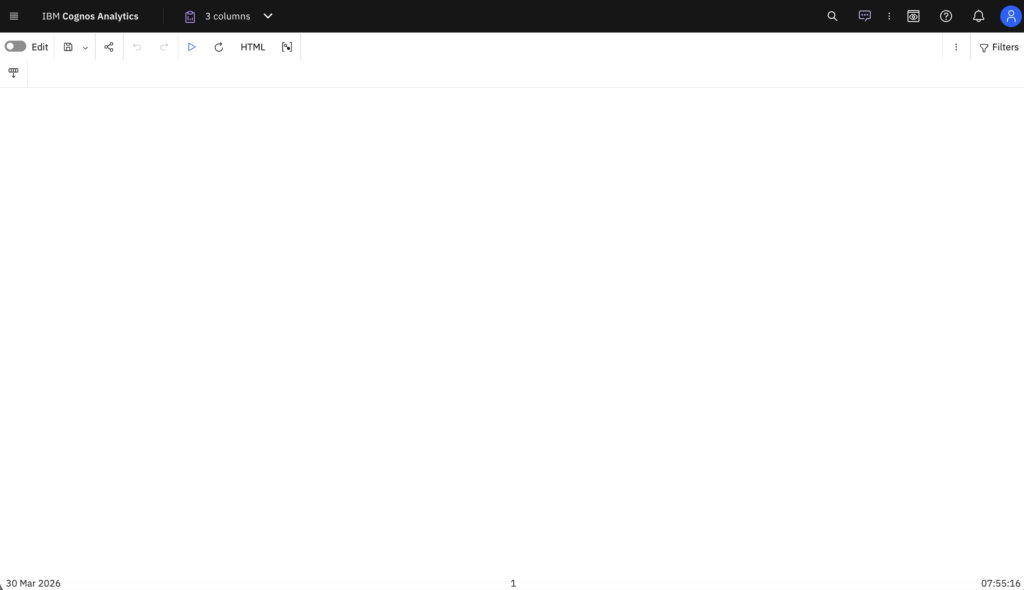 |
He now, has been asked to quickly pull a Product line related report (from Samples > By feature > Core > Reports) for a meeting that’s just about to start.
Instead of navigating in Cognos Analytics itself, he simply asks in Cognos Assistant:
“Find me list of reports from Team content → Samples → By feature → Core → Reports”
OR
“Find me Product line report in Team content → Samples → By feature → Core → Reports”
The Cognos Assistant immediately understands the context.
It searches within the requested folder, identifies the list of reports, and presents it to the user.
Cognos Assistant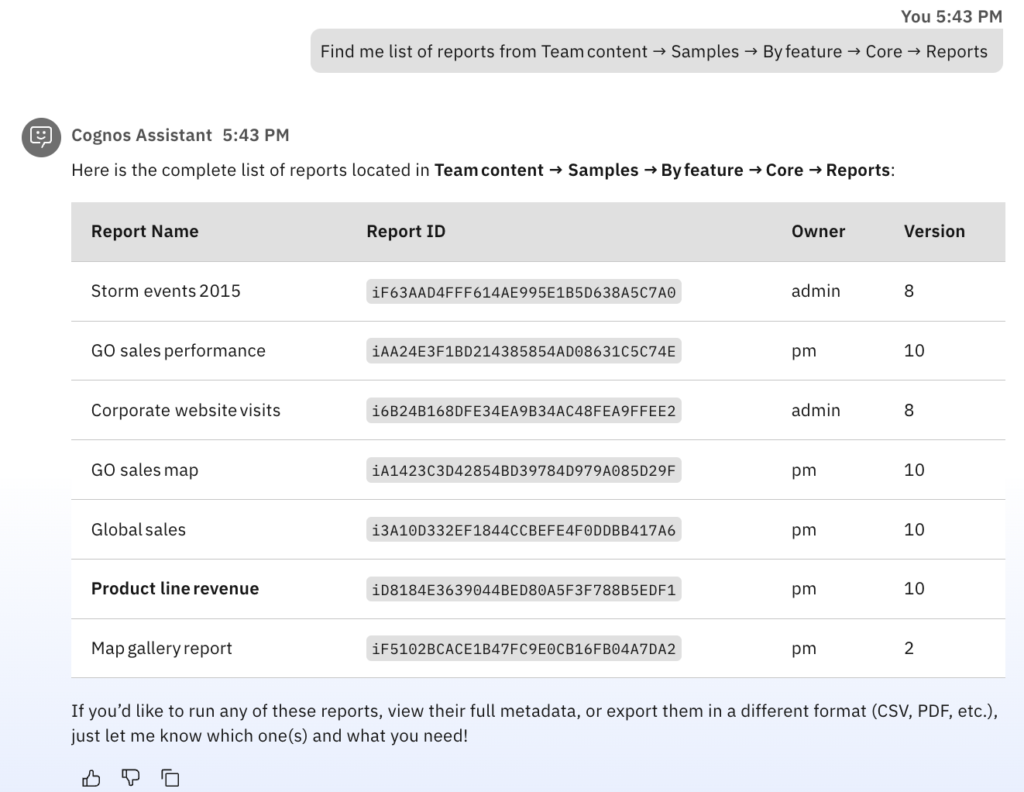 Finding specific report: 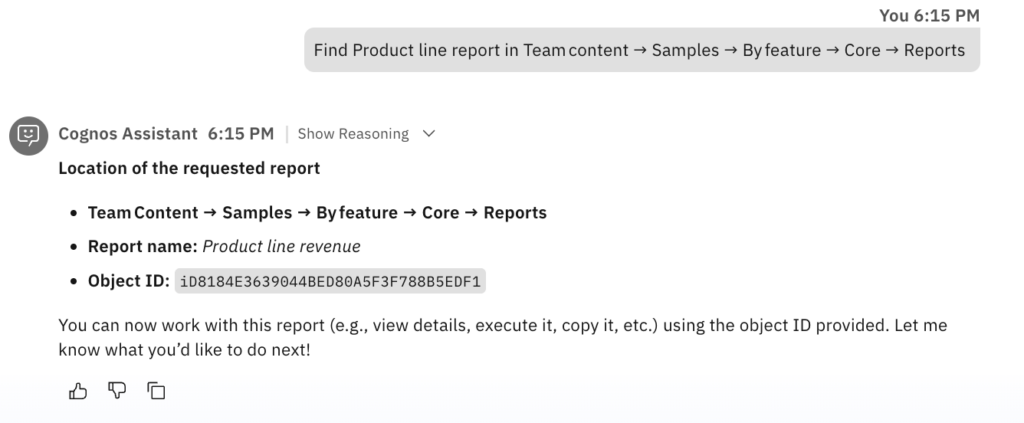 | Cognos Analytics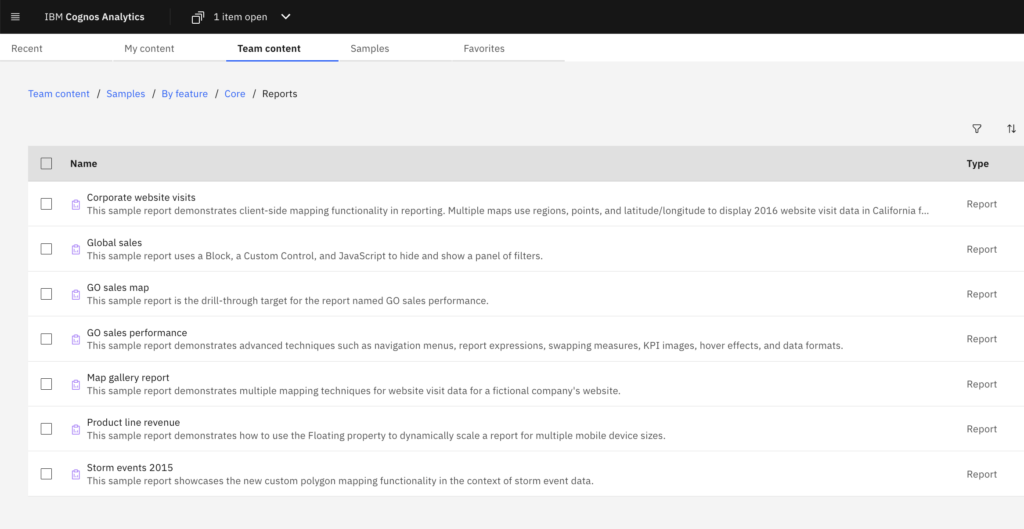 Finding specific report: 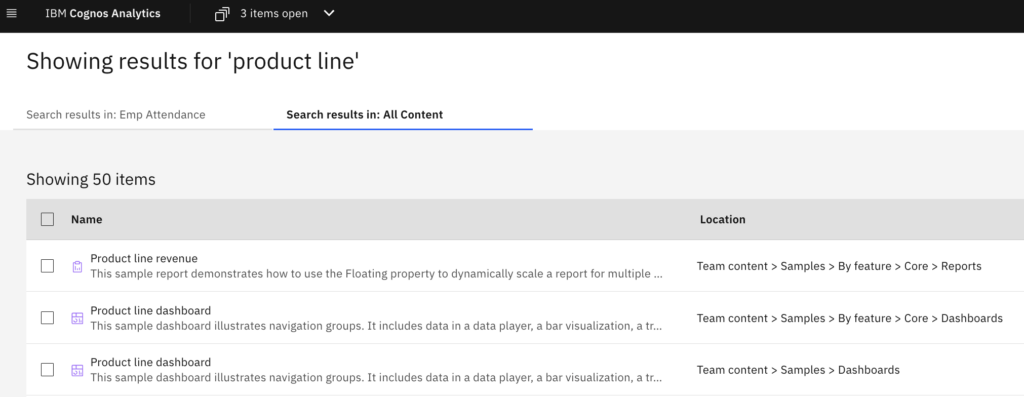 |
Without missing a beat, the user continues:
“Execute Product line revenue report.”
Cognos Assistant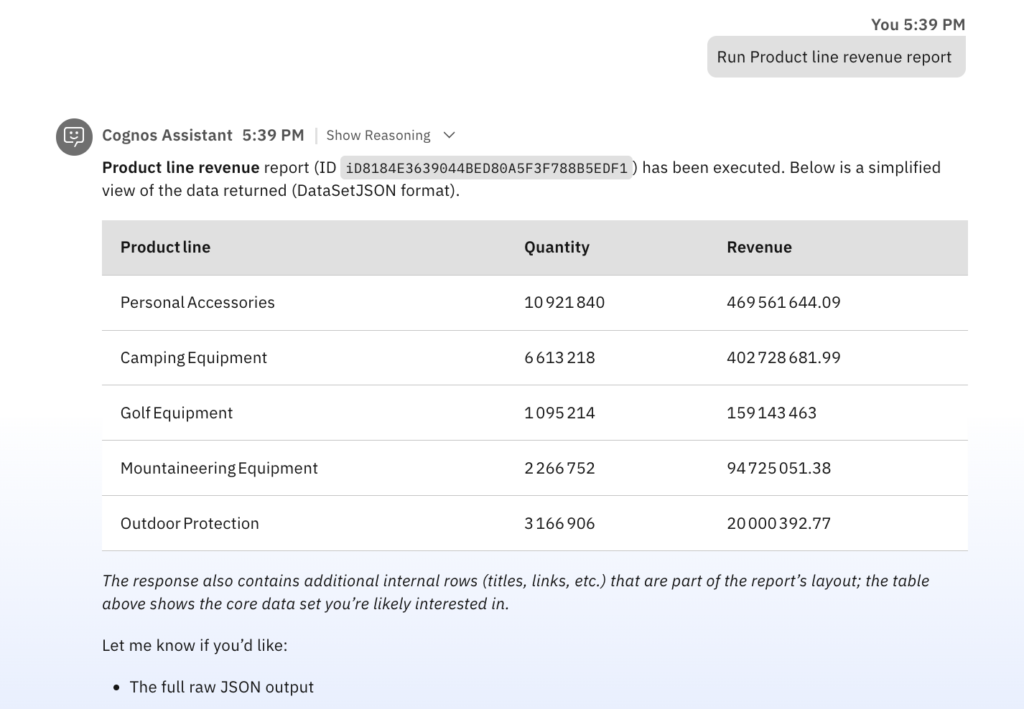 | Cognos Analytics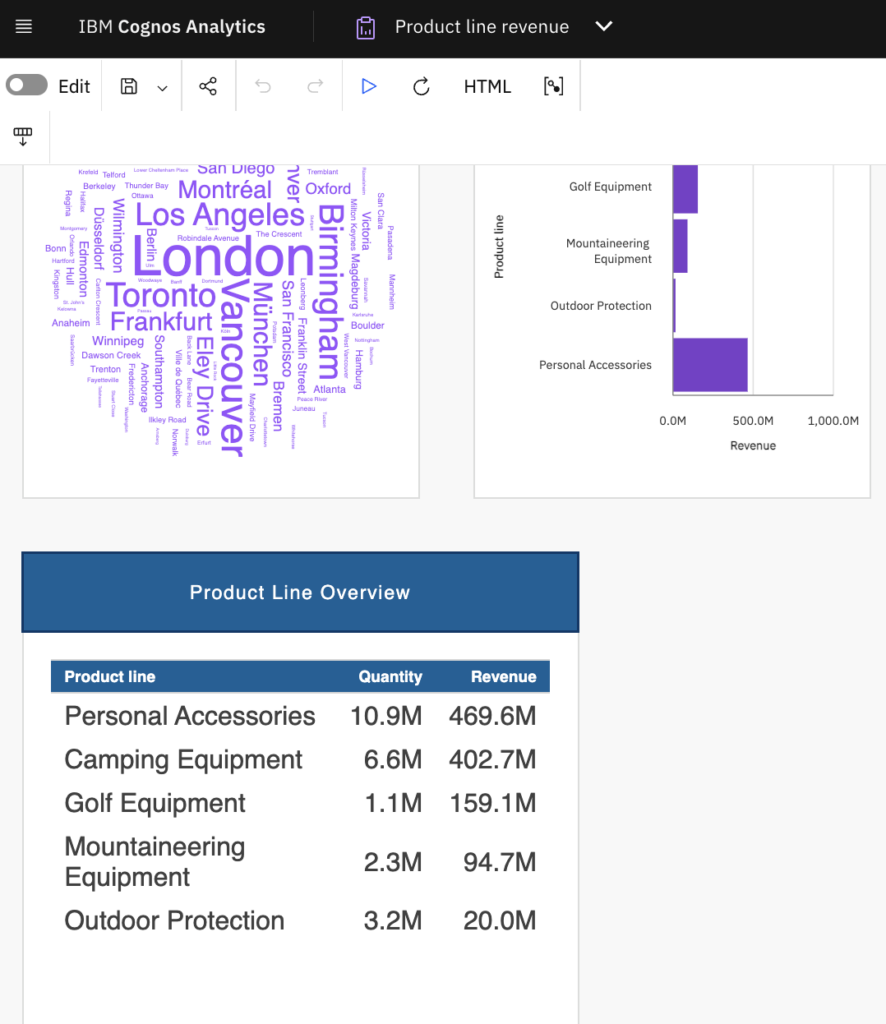 |
By the time the meeting begins, the report is already in hand.
No delays. No uncertainty. From request to insight—seamlessly.
It’s late afternoon.
An IT administrator is reviewing the content structure inside the ACH folder in IBM Cognos Analytics.
They’ve been asked to quickly assess what’s inside—specifically, how content is organized and distributed.
In the past, this would mean:
- Opening the ACH folder
- Clicking through each sub-folder manually
- Counting reports, dashboards, and stories one by one
- Keeping track separately
But today, they take a simpler route.
“Show me the sub-folders in the ACH folder and get count of reports in each sub-folder”
The Cognos Assistant instantly retrieves the structure, listing all available sub-folders and count of reports in each of them.
Cognos Assistant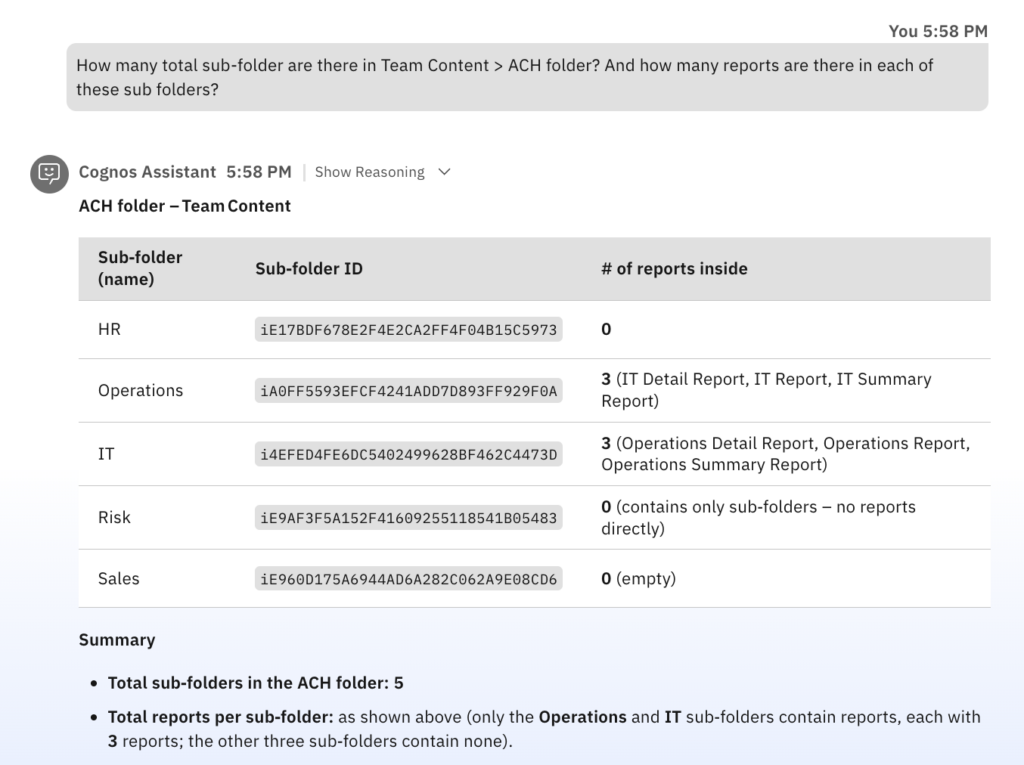 | Cognos Analytics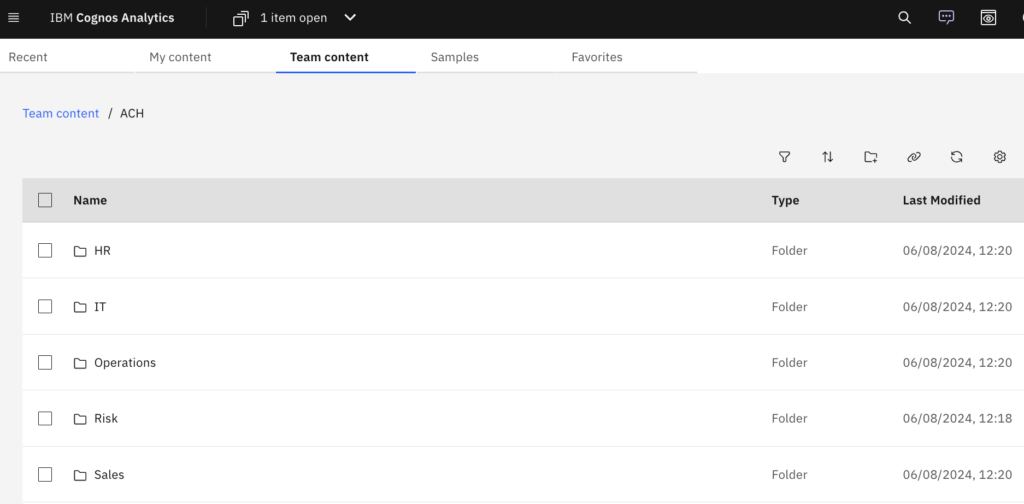 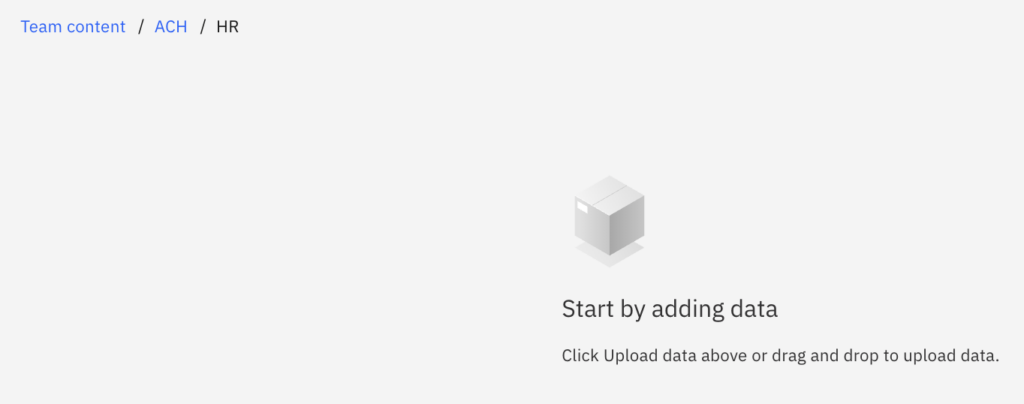 |
The IT administrator drills down further:
“Go to the Operations sub-folder and get me count of dashboards and stories”
Cognos Assistant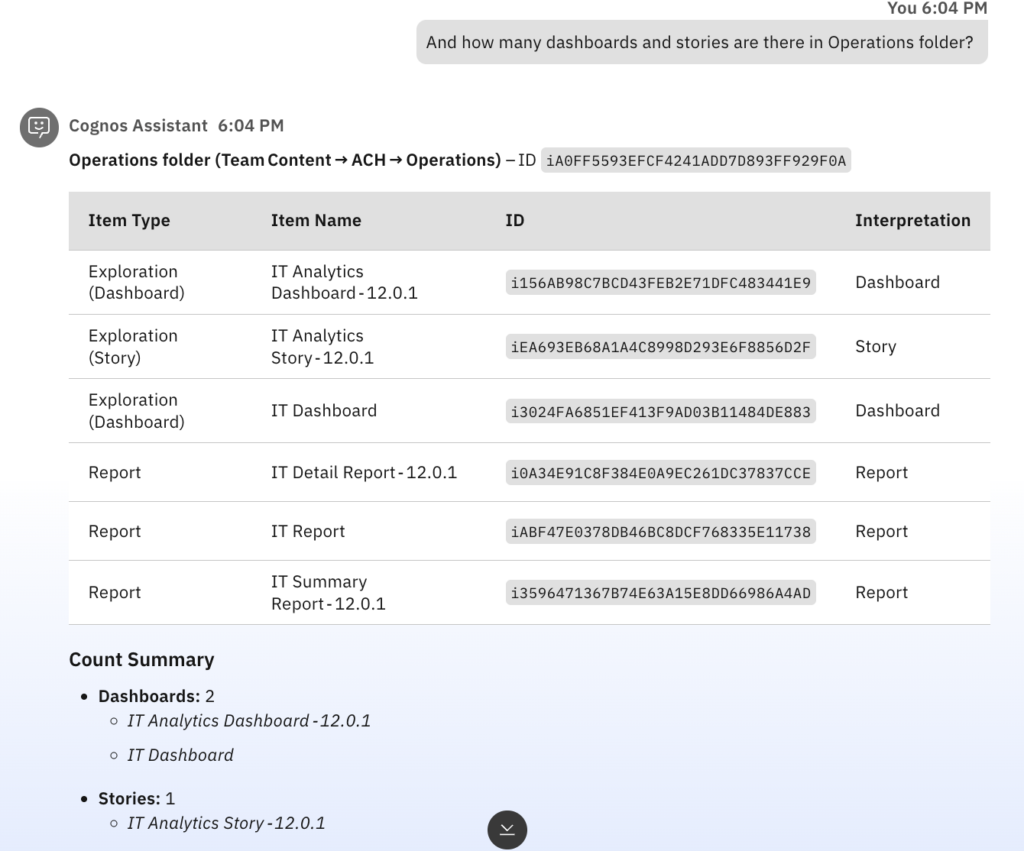 | Cognos Analytics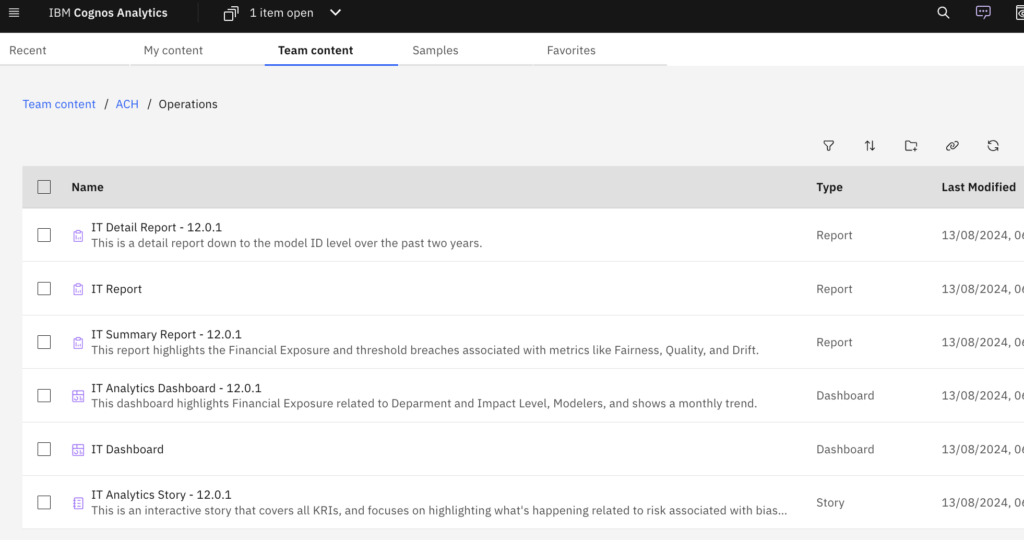 |
Thus, with a clear understanding of the ACH folder’s contents, the IT administrator can confidently report back and make informed decisions about organization and governance.
It’s nearing the end of the day.
An IT administrator is working within the ACH > Operations folder in IBM Cognos Analytics.
They’ve been asked to set up a small demo environment for testing purposes.
Today, they simply start with a request:
“Create a sub-folder named as ‘Demo’ inside the Operations folder.”
The assistant instantly creates the folder.
Next, they continue:
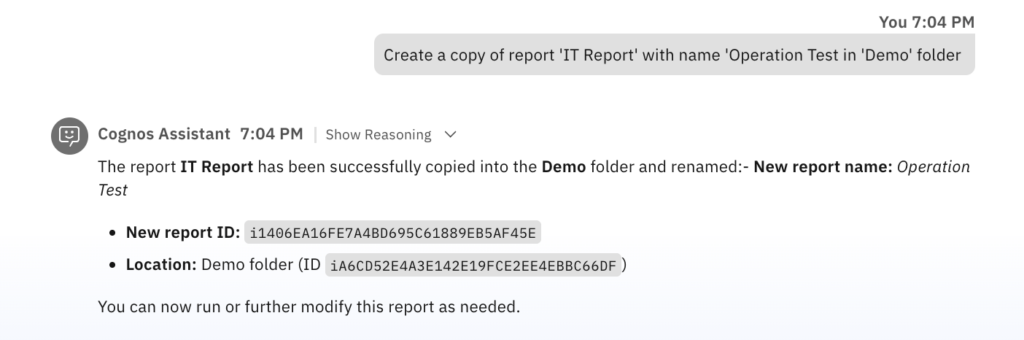
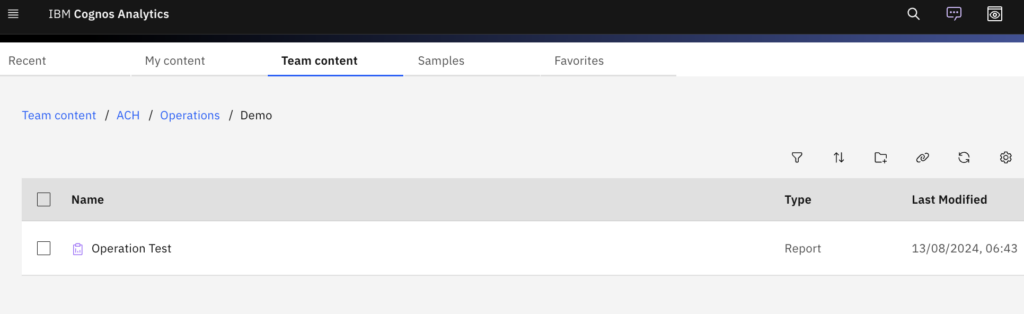
“Copy the ‘IT report’ into the Demo folder and rename it to ‘Operation Test’.”
The assistant understands both the action and the transformation:
All in one seamless step.
Cognos Assistant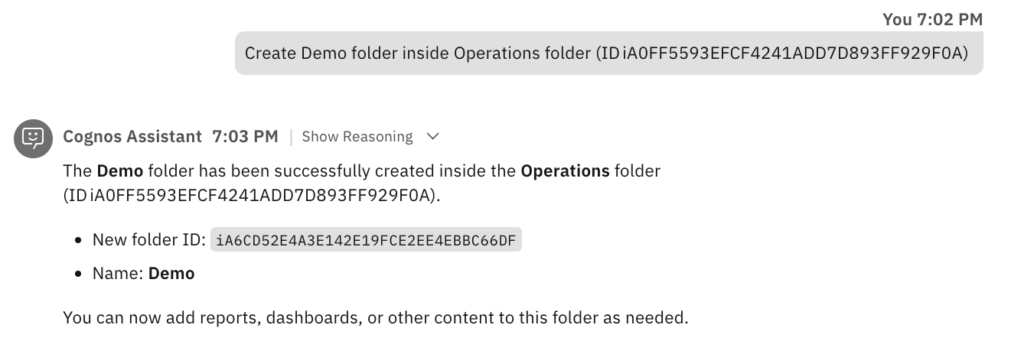 | Cognos Analytics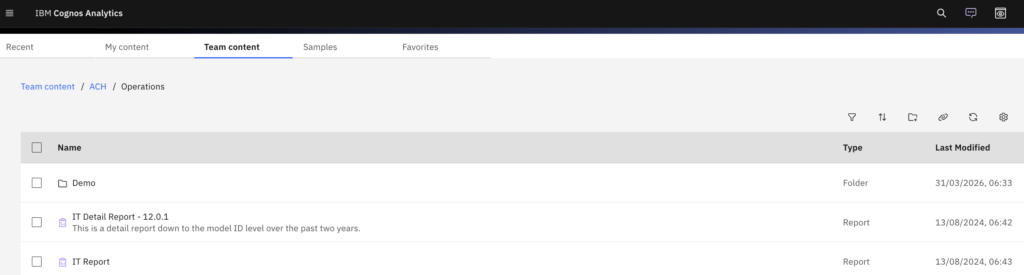 |
 |  |
Finally, for confirmation:
“Show me the contents of the Demo folder.”
Cognos Assistant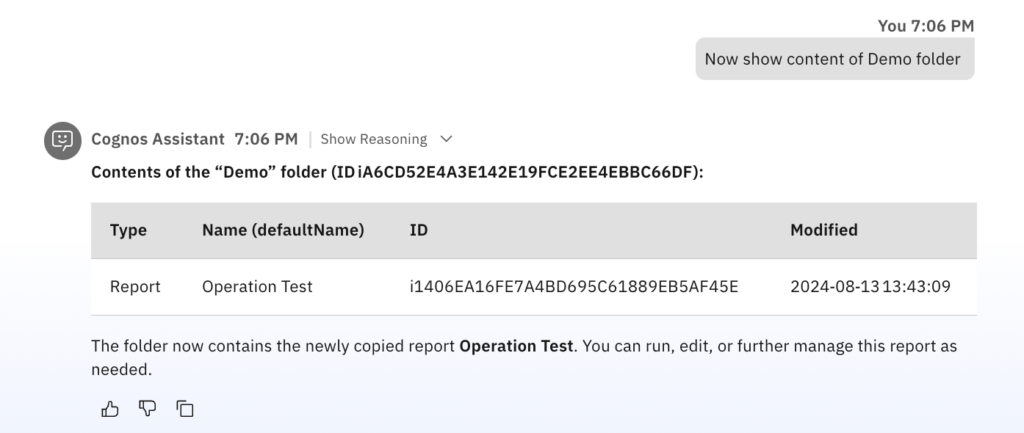 | Cognos Analytics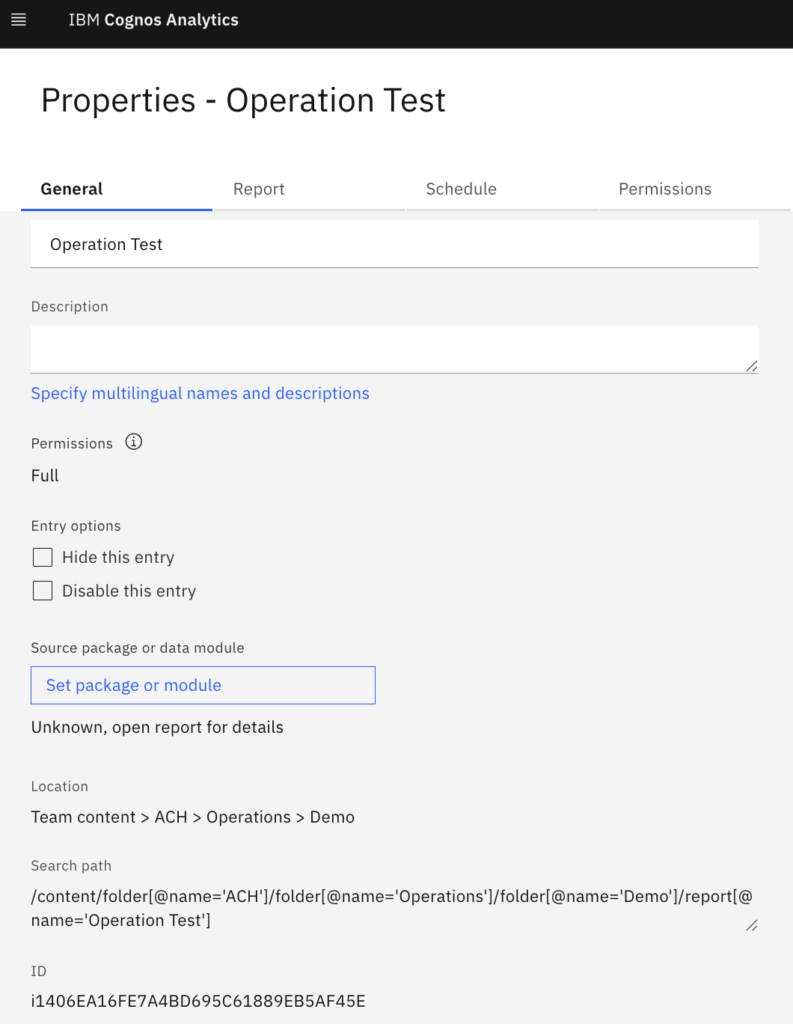 |
The Cognos Assistant responds with a clear view of the folder—showing the newly copied and renamed report.
It’s the end of the week.
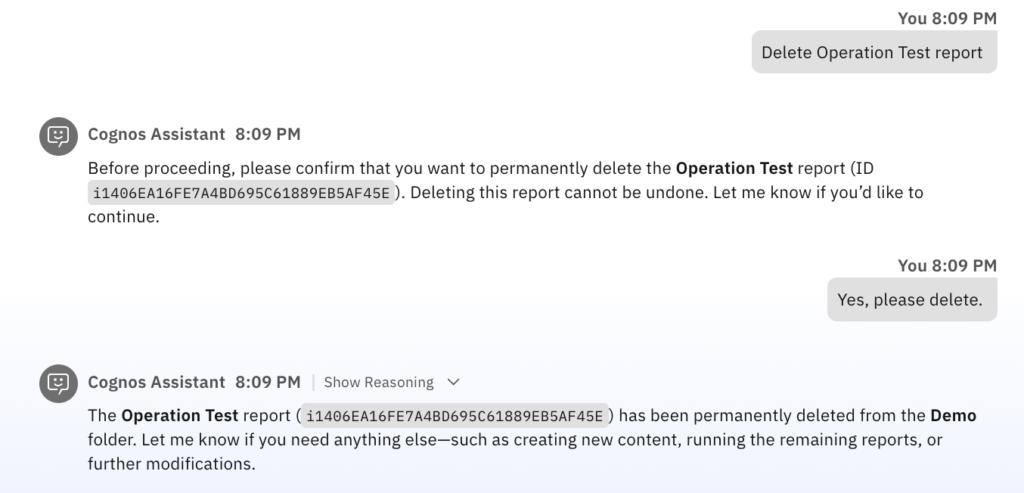
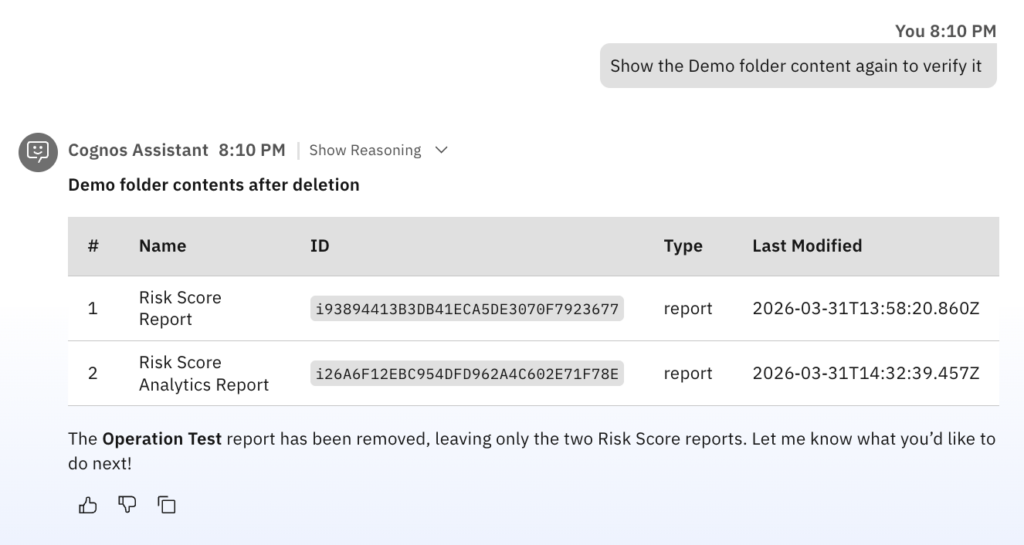
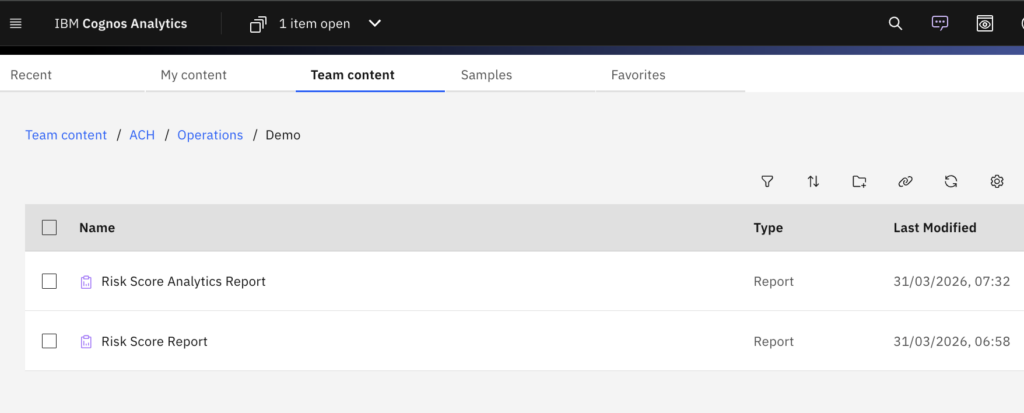
An IT administrator is working on IBM Cognos Analytics and needs to clean up an outdated report from Demo folder.
Admin simply asks
“Show me the contents of the Demo folder.”
“Delete Operation Test report”
Cognos Assistant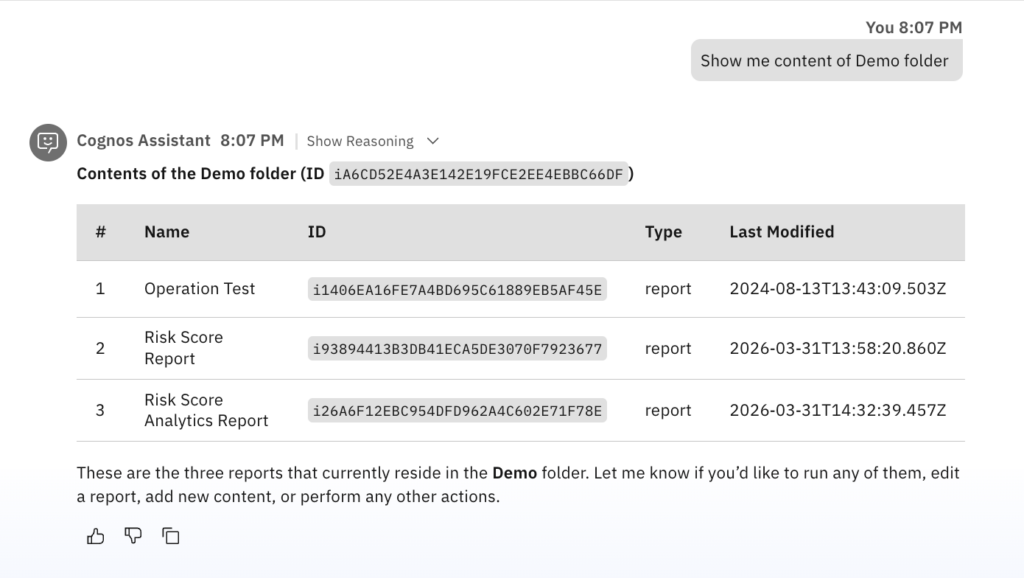 | Cognos Analytics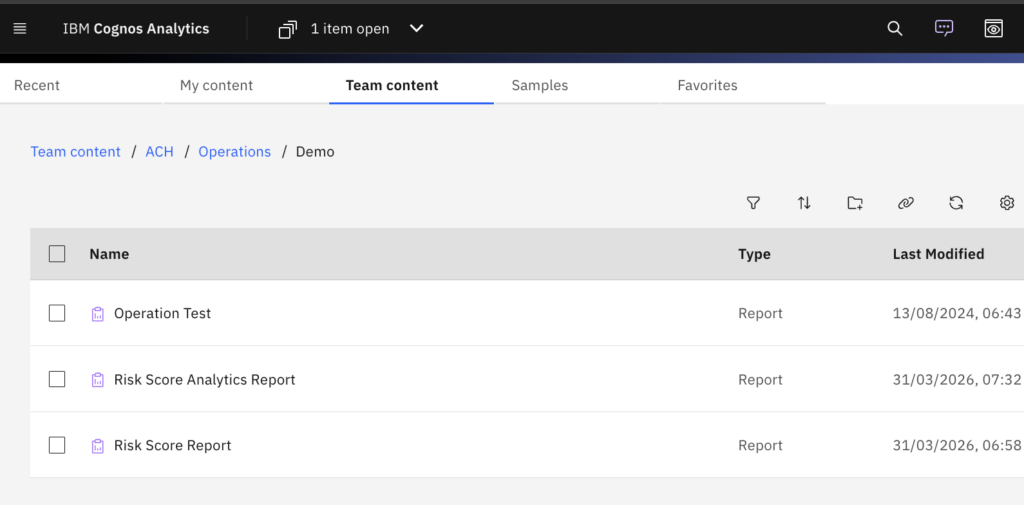 |
  |  |
Additionally, he also moves few ‘Demo Reports’ folder contents to ‘Default Reports’ folder.
“Show me the contents of the ACH > Operations > Demo Reports folder.”
“Move ‘My first dashboard’ and ‘My first report’ to ACH > Operations > Default Reports folder.”
Cognos Assistant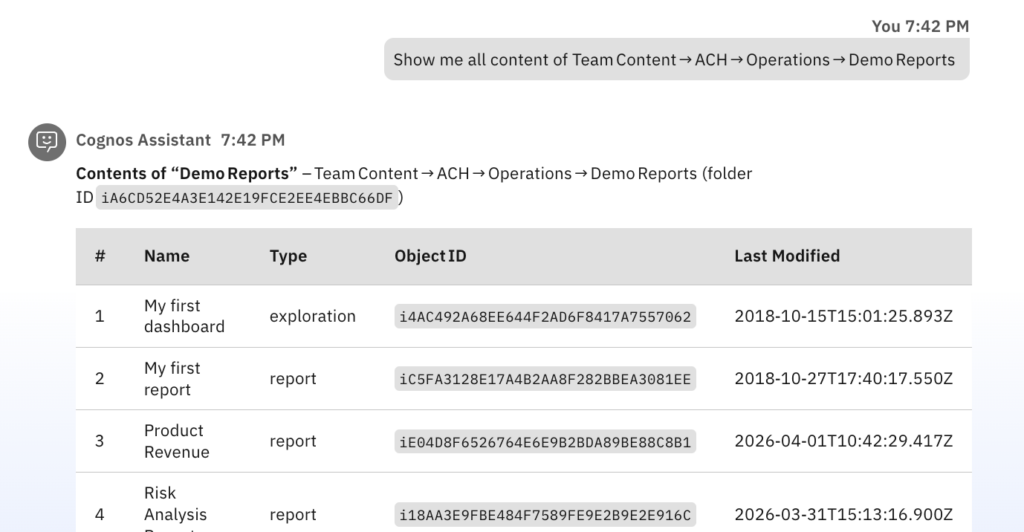 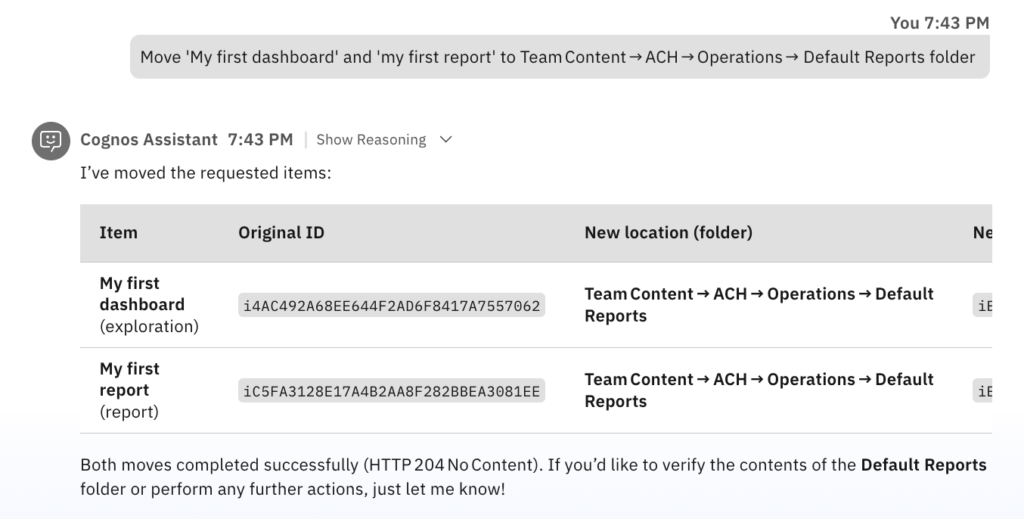 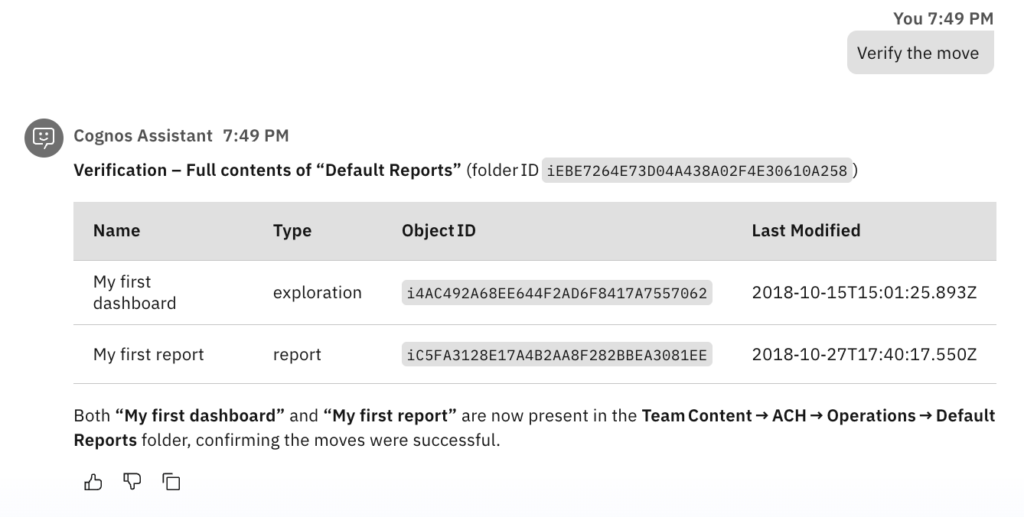 | Cognos Analytics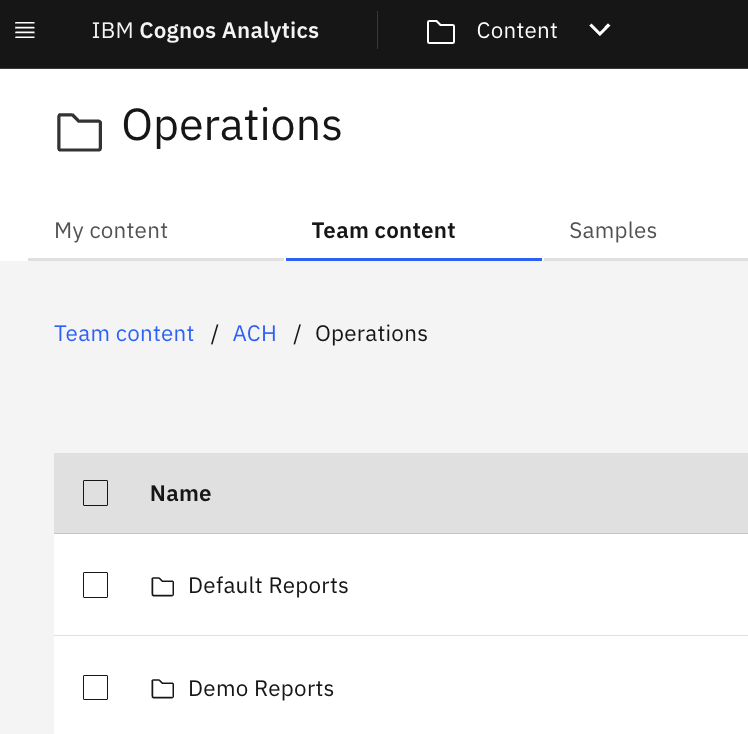 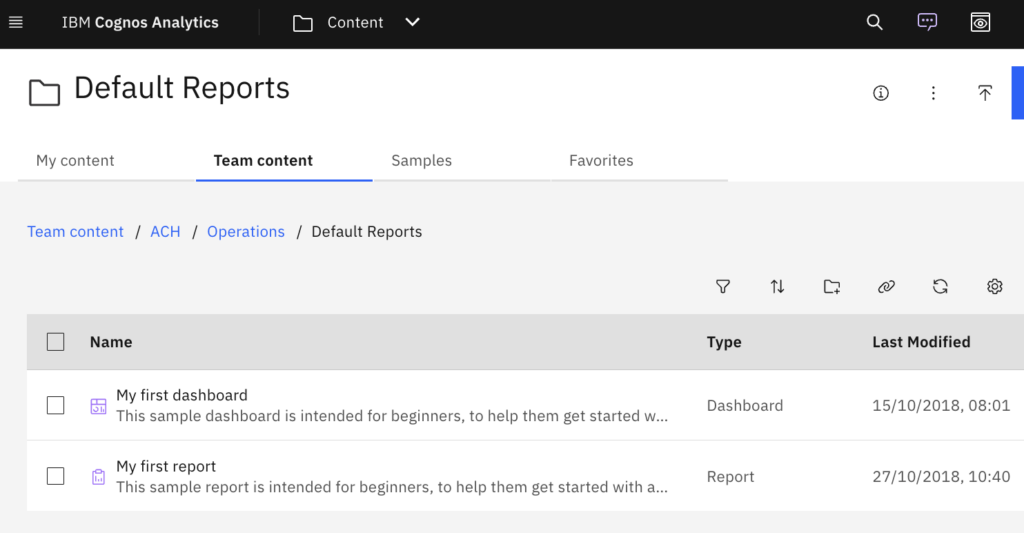 |
Appendix
Connecting to Cognos Assistant using Cognos Analytics credentials:
Cognos Assistant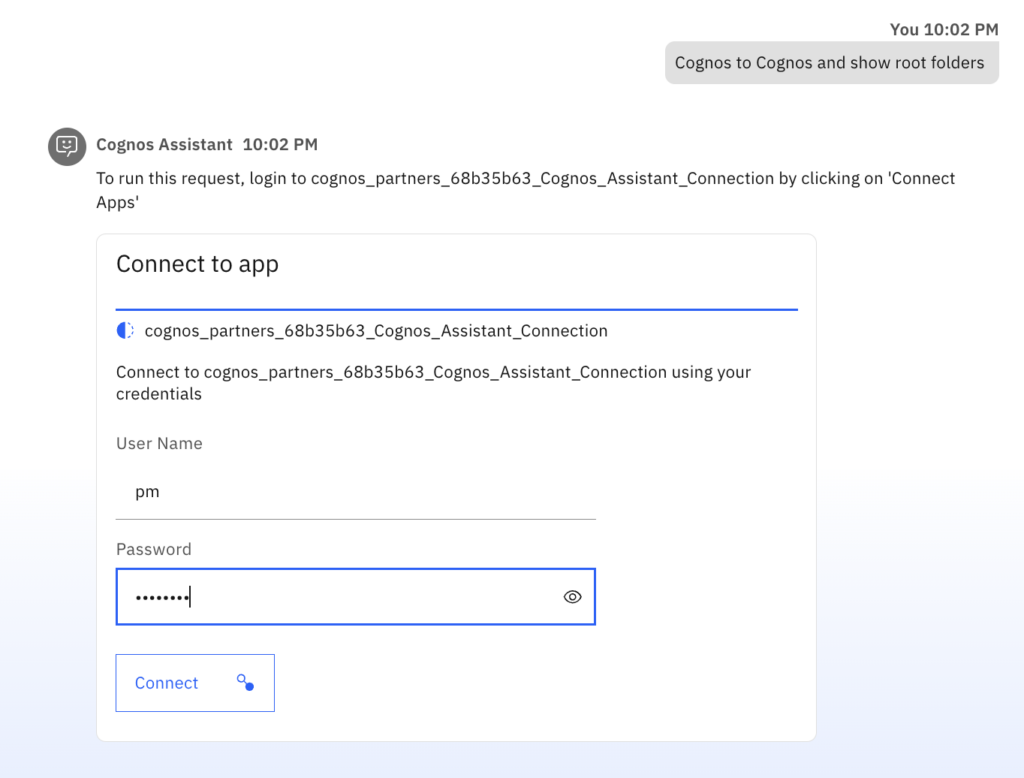 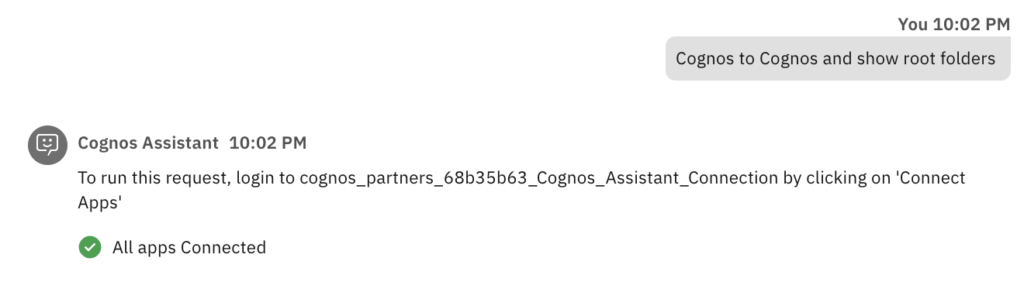 | Cognos Analytics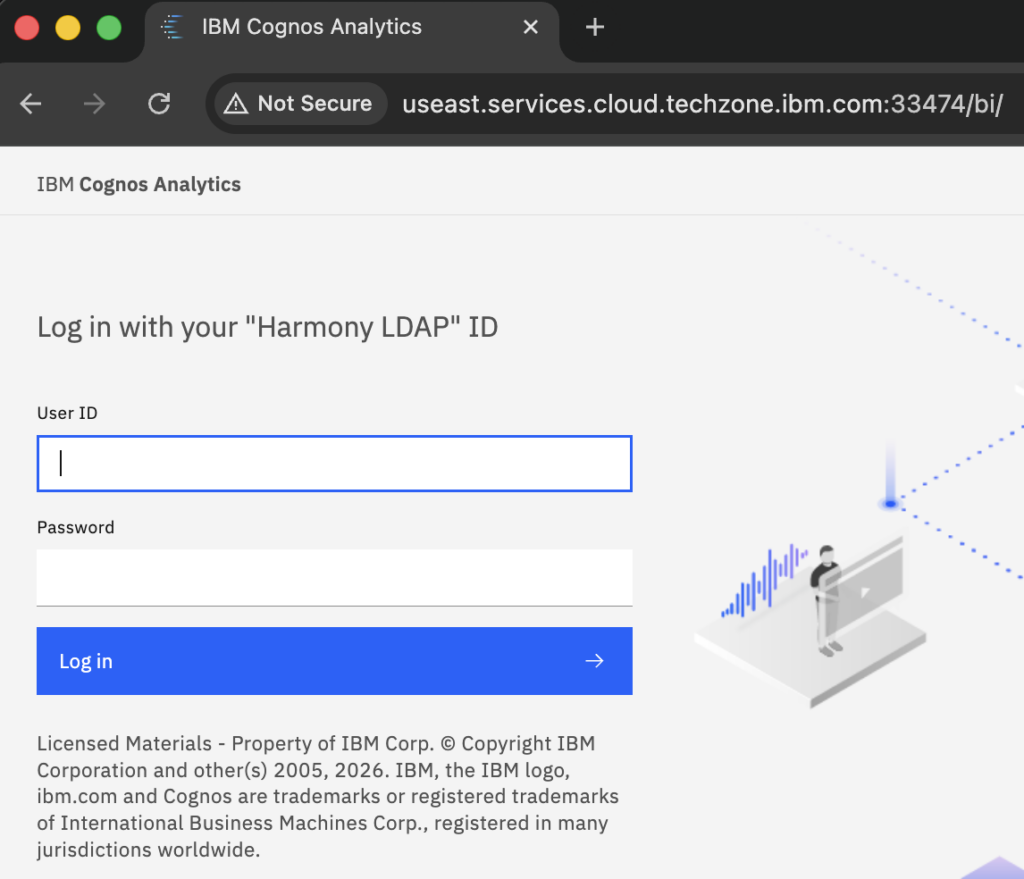 |