The Report Recommendation Agent in IBM Cognos Analytics leverages semantic search to help users discover relevant reports and other indexed content without having to memorize specific folder paths or exact file names. By allowing users to search using natural-language business questions, it simplifies report discovery and helps users access the information they need more efficiently.
This capability can reduce manual searching and help minimize the creation of duplicate reports by making existing analytical content easier to discover. However, its effectiveness depends on maintaining a well-indexed, up-to-date, and securely governed content catalog.
Steps to Explore the Report Recommendation Agent
Step 1 . Include for AI
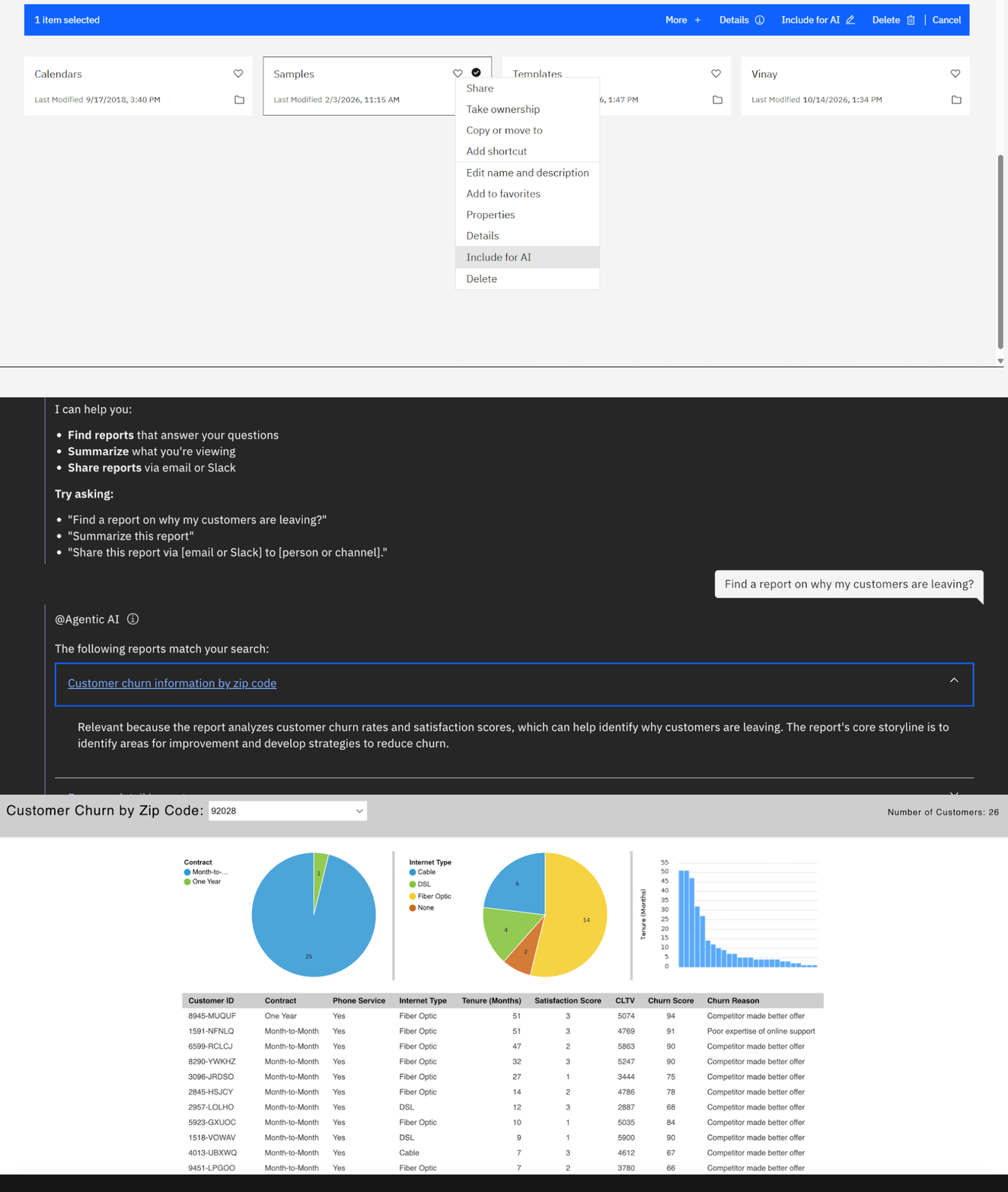
The Include for AI option in IBM Cognos Analytics allows users to make selected content available for AI-powered features. Users can enable this option from the More menu in Team content.
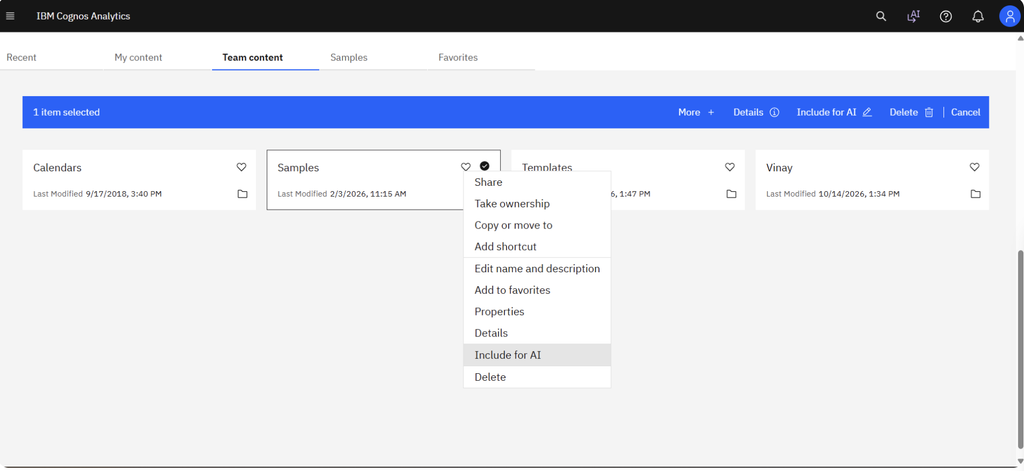
Step 2. Open the relevant AI Assistant interface and enter a business question in the prompt field.
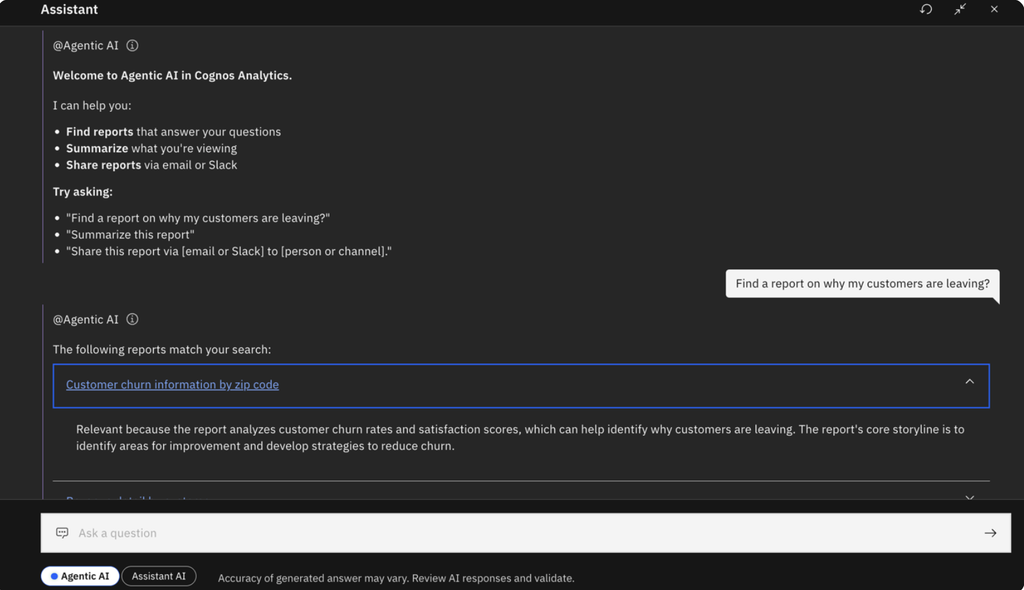
Step 3. Review the list of suggested reports and identify the one that best matches your business requirements.
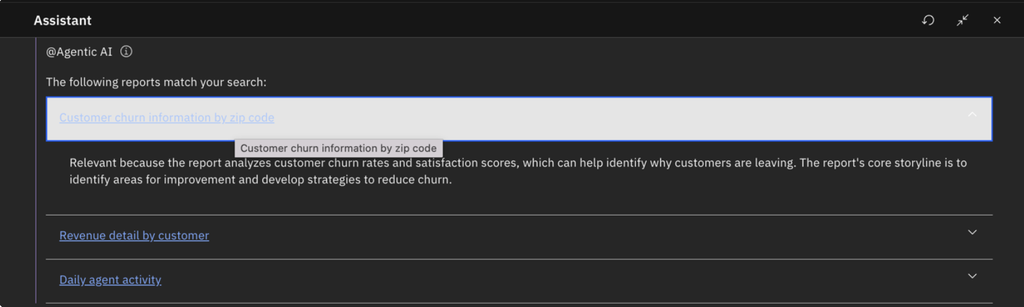
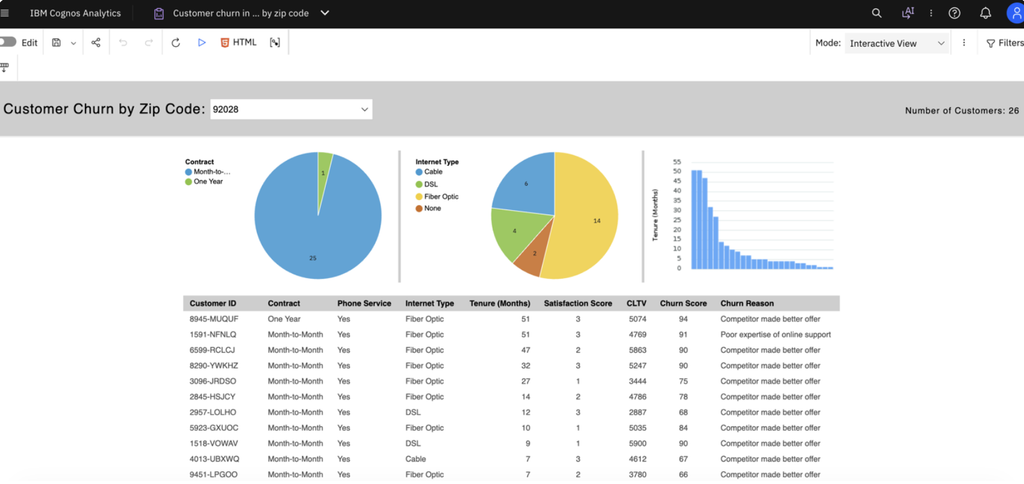
Step 4. Click the desired report from the suggested list. The selected report opens in a new tab, allowing you to review its contents and explore the required business information.
Conclusion
The Report Recommendation Agent can help make business intelligence more accessible by guiding users toward potentially relevant reports and analytical content. By simplifying report discovery, it can reduce manual searching and help users focus on extracting meaningful business insights.