Cognos 12.1.1 dashboards now have an option to let users download the data behind a visualization as a csv file.
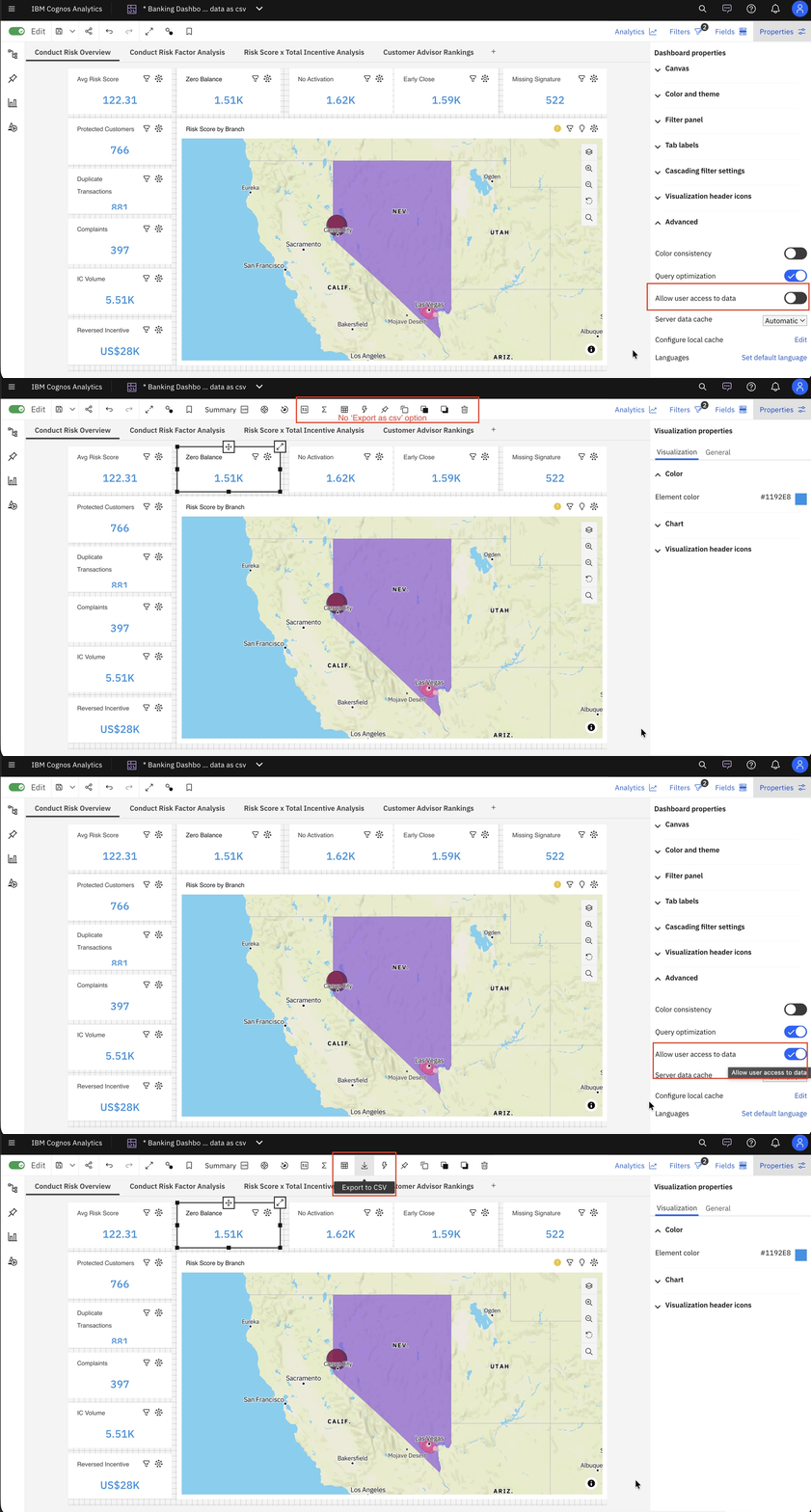
- To turn this feature on, open any dashboard (in Edit mode) that includes a visualization and navigate to Properties > Advanced
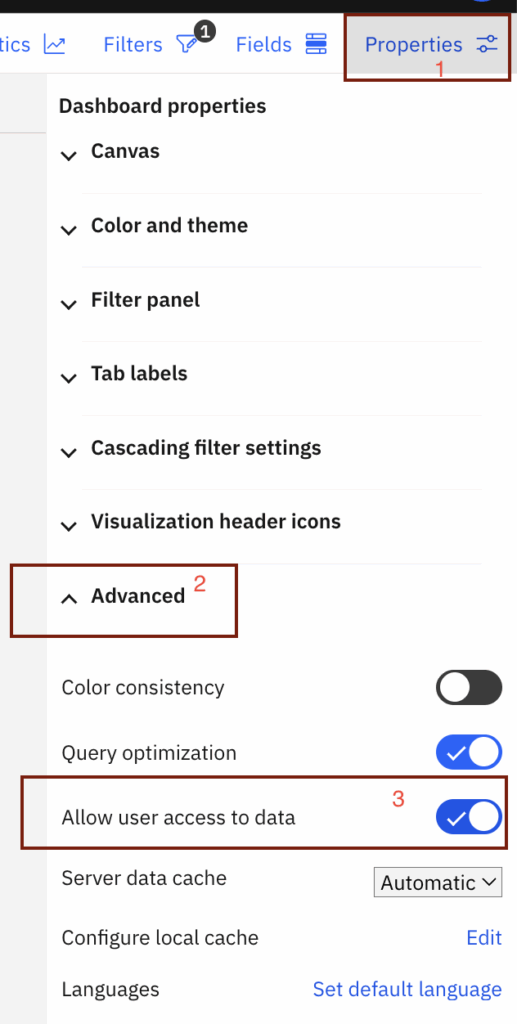
- Enable Allow users access to data.
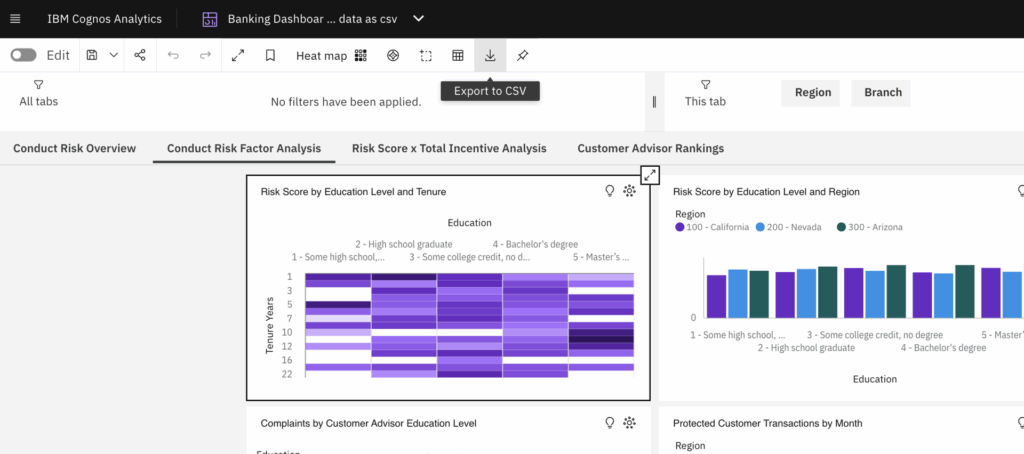
- Once activated, select any visualization and ‘Export to CSV’ button will start appearing in toolbar for both editors and end users.
- Note: If this setting is turned off, the button will no longer appear.
- Now user can quickly review the csv data used for visualization.
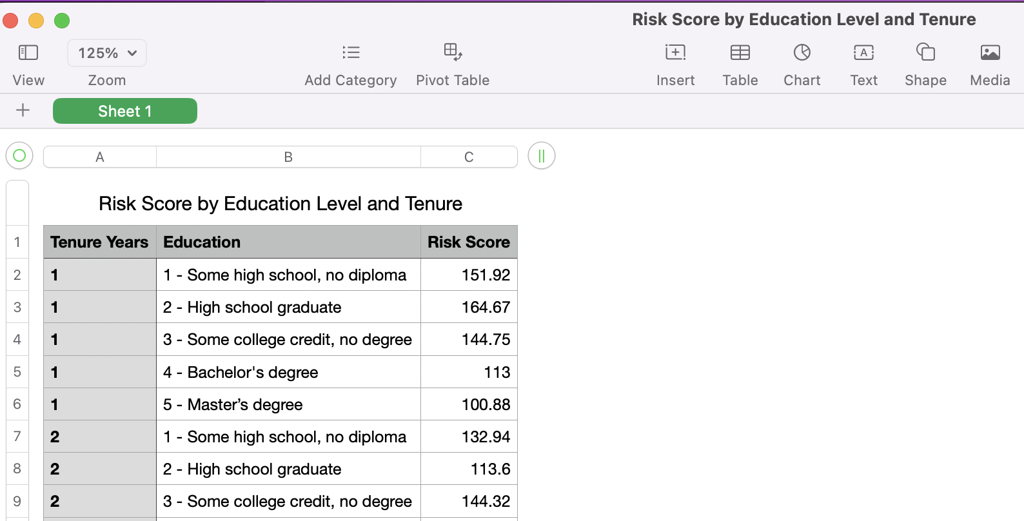
- Additionally, users can also open the data tray for selected visualization and export the data as csv file using the Visualization data ellipse button (as shown in snapshot).
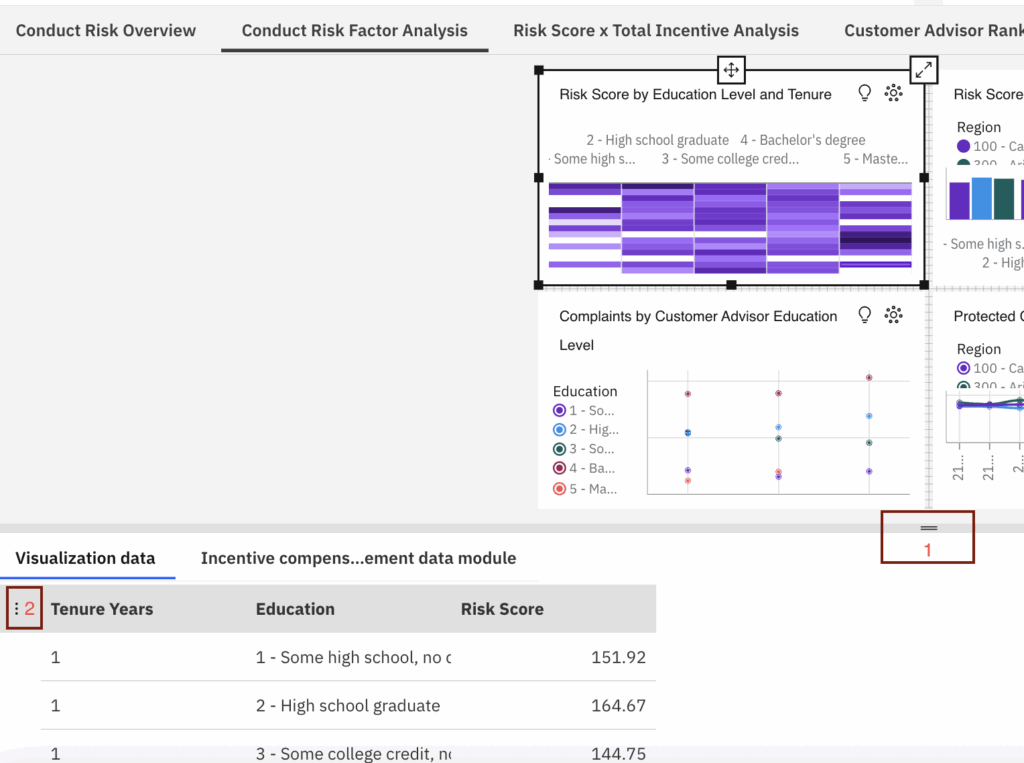
- Click on ellipse button followed by ‘Export data’
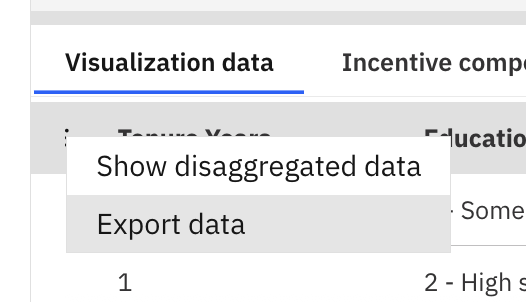
- It will also download the data as csv file.


