In Cognos Analytics, Auto-refresh allows a Cognos report to automatically reload itself at regular intervals. This ensures the content displayed on screens is always current, making it ideal for monitoring dashboards, live KPIs, and wall-mounted displays used by business operations teams.
In this blog, we will explore the new built-in Auto-Refresh feature introduced in Cognos 12.1.1. We will also review the traditional methods used to implement Auto-Refresh in earlier versions of Cognos and highlight the benefits of this new feature.
New built-in Auto Refresh (Cognos 12.1.1+)
With 12.1.1, we can set an auto-refresh using report sharing option. The Refresh Time toggle button is now visible inside the Share window.
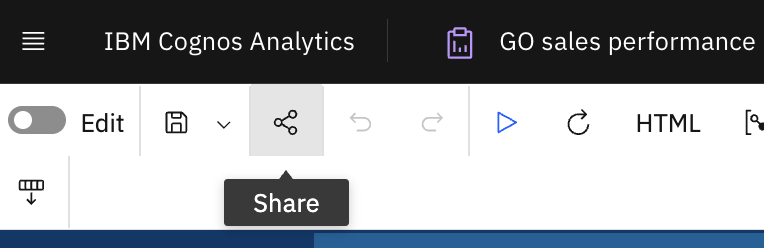
- Click on Share and Refresh time will appear in bottom of popup window
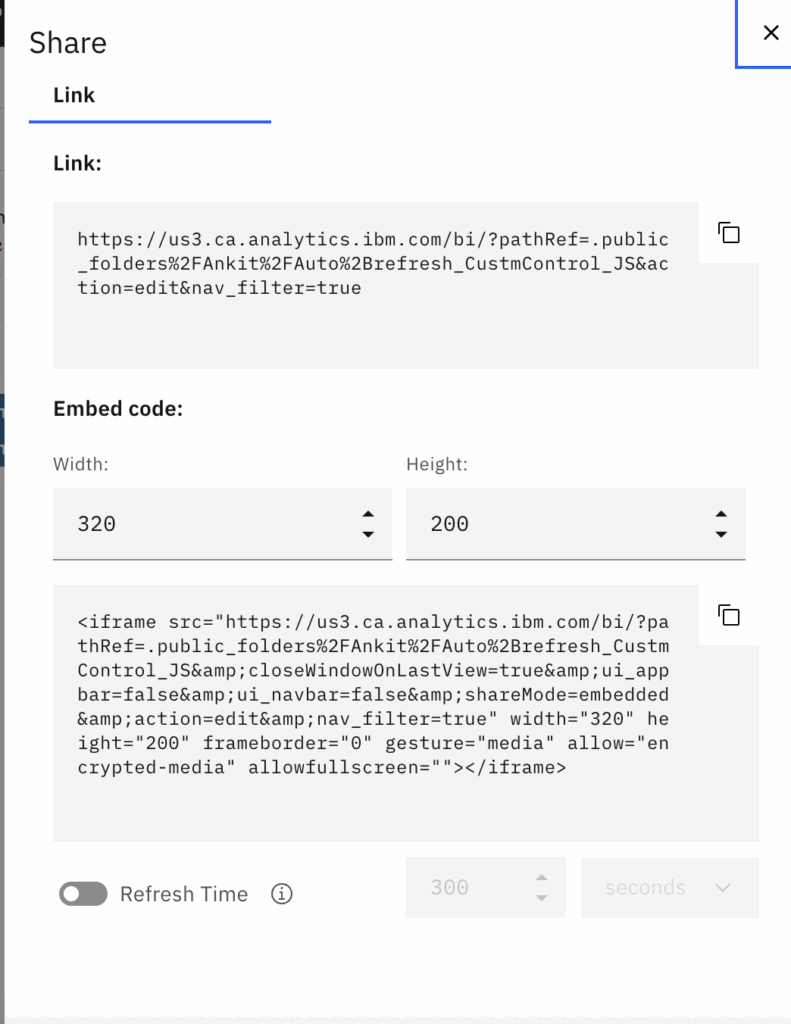
- We can enable it and specify time value in seconds, minutes, or hours.
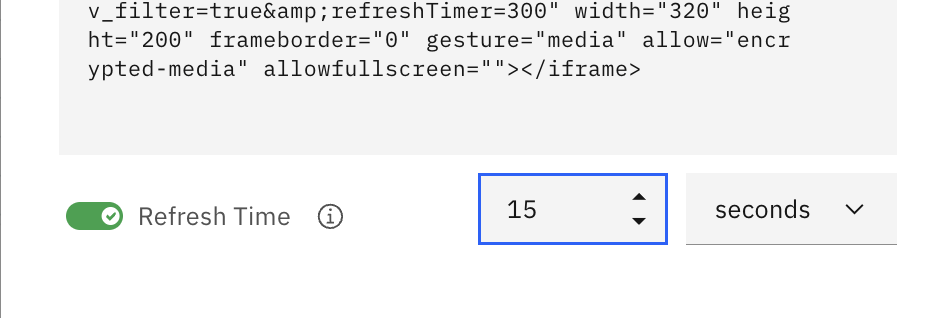
- Enabling this option adds a ‘refreshTimer’ parameter inside the share link URL and the embed code.

- Now copy the link and open it in a separate page. You will see that the report refreshes automatically at 15-second intervals.

Hence, with Cognos 12.1.1, we do not need to use custom control/javascript in report, instead we can directly use this feature and auto-refresh the report output using the shared link.
Note: Generate the link in non-edit mode to make the output work with auto-refresh.
Old/Traditional Method
With earlier Cognos versions, developers used custom controls and JavaScript code to achieve auto-refresh functionality in reports. Below are the quick steps to implement it.
- Open the report in Edit mode and add the custom control at the top of the page.
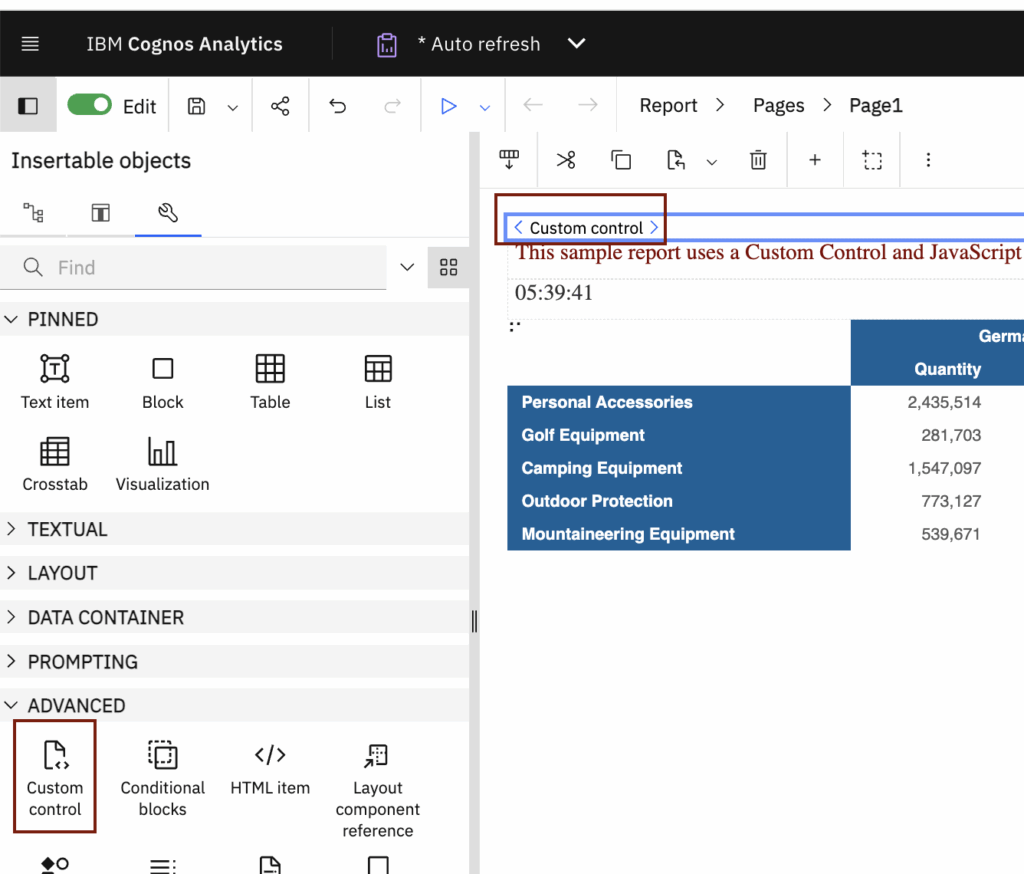
- Under Custm Control property, add ‘Auto Refresh’ name to Description and set the the refresh interval time (ex. 15 second) in configuration
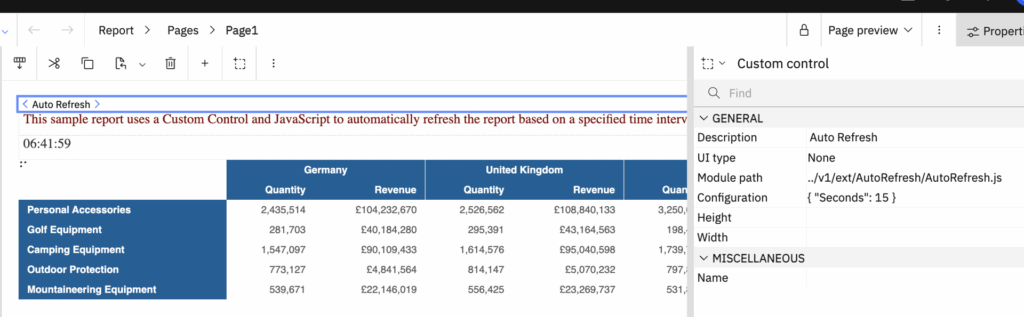
- Note: AutoRefresh.js file must be stored in Cognos Installation directory to use in module path
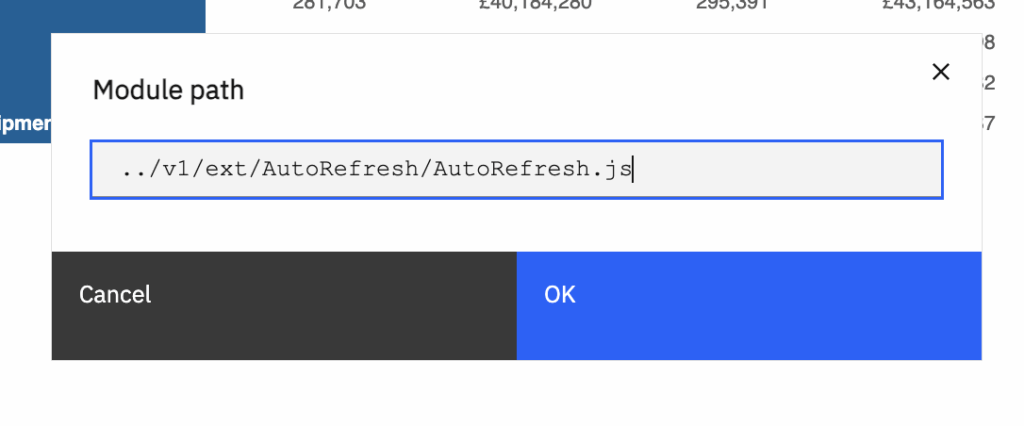
- Now save the report and run it.

Output will auto refresh after 15 seconds and displays the latest data.
Built-in Auto-Refresh Benefits
- End users do not need a developer to implement auto-refresh in the report.
- Eliminates the need for auto-refresh JavaScript and custom controls.
- Users can enable or disable auto-refresh directly.
- Users can change the refresh interval themselves.
- No need to reach out to a developer for any auto-refresh changes.


