IBM watsonx Orchestrate introduces Agent Summarization, a configuration option that gives developers control over whether an agent generates a summary when an agentic workflow completes.
In this blog, we will explore how to enable or disable agent summarization, configure custom summarization instructions, and understand when this capability is useful.
Steps for Configuring Agent Summarization
Step 1: Open the Agentic Workflow
Log in to your IBM watsonx Orchestrate environment.
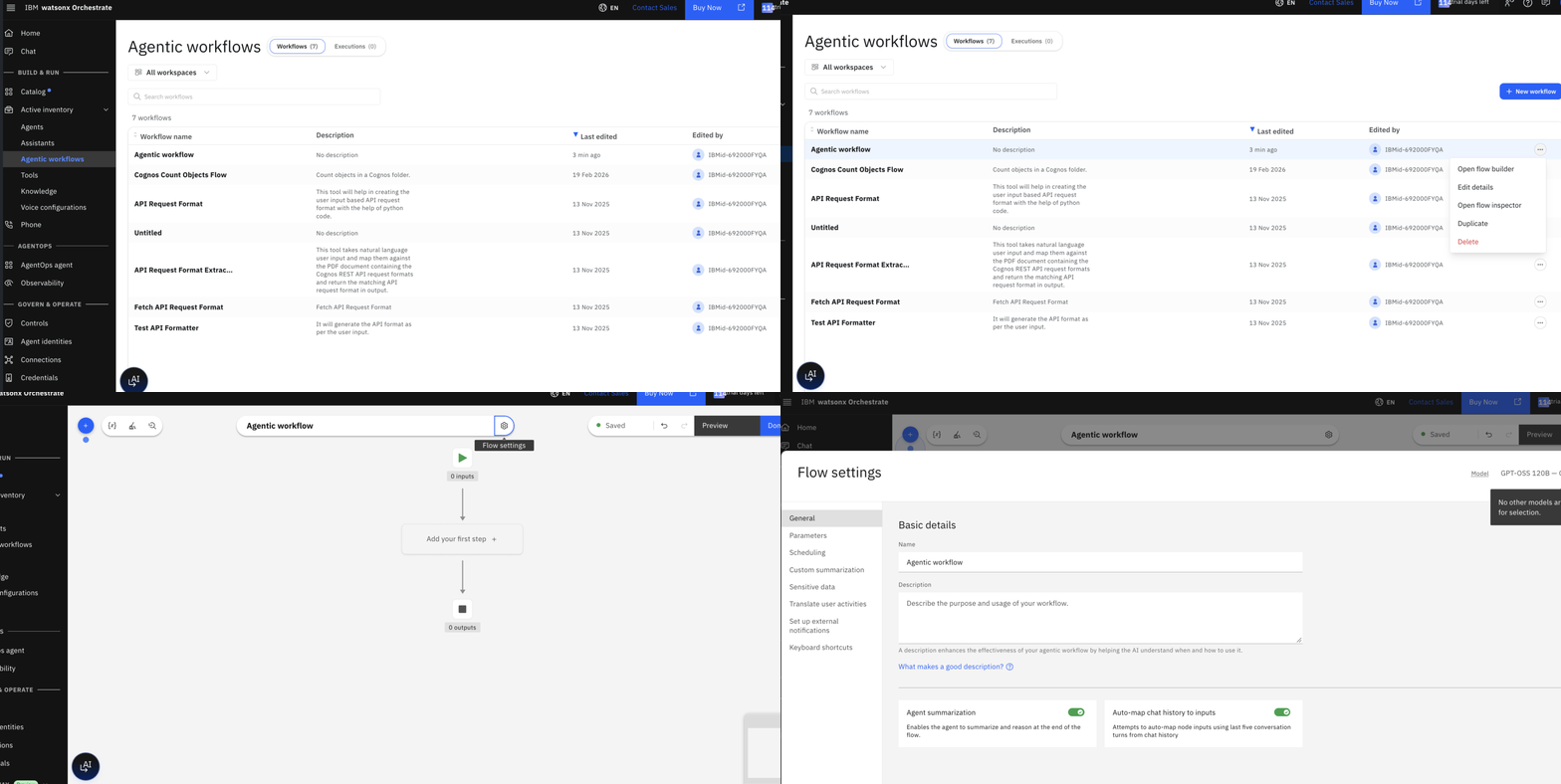
Click to Main Menu

Expand Active Inventory and click on Agentic Workflows
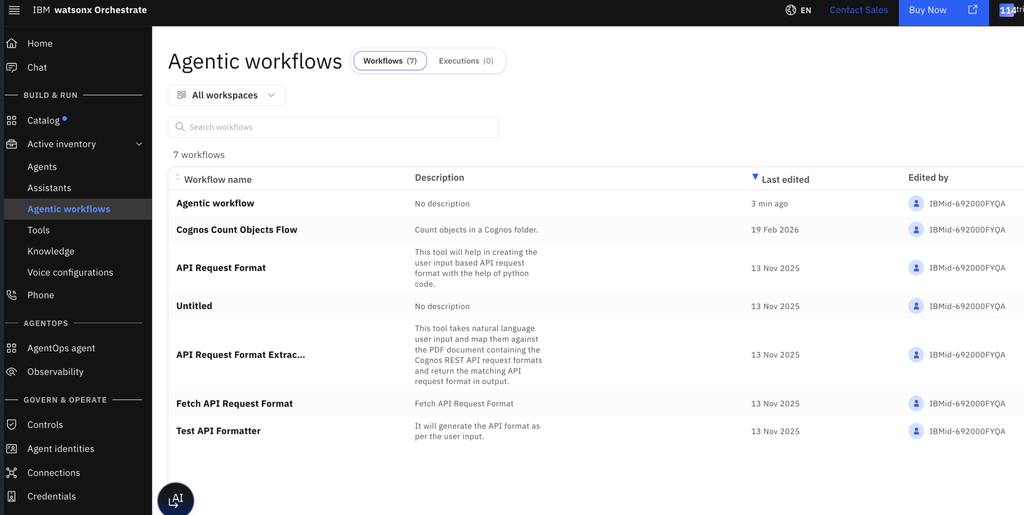
Select the agentic workflow you want to configure and click on Open flow builder.
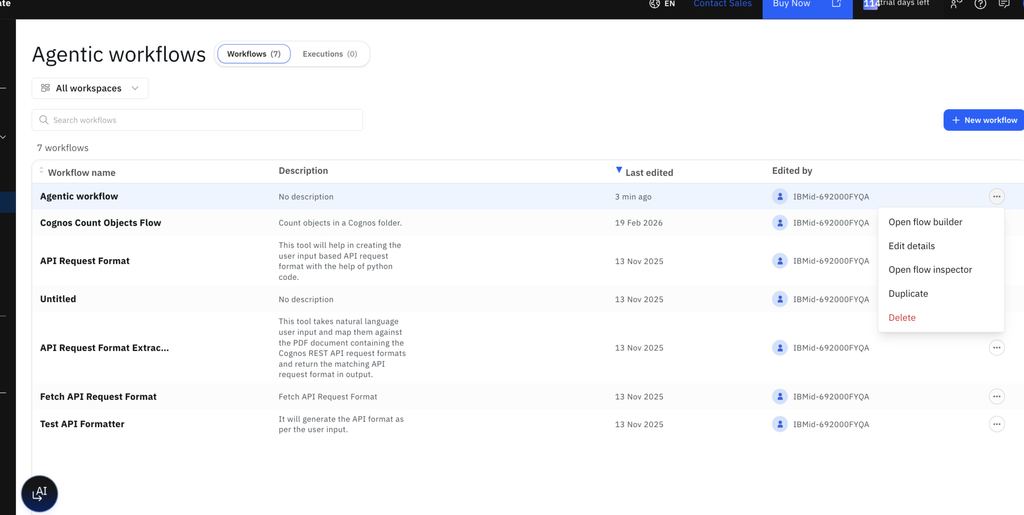
Step 2: Open Flow Settings
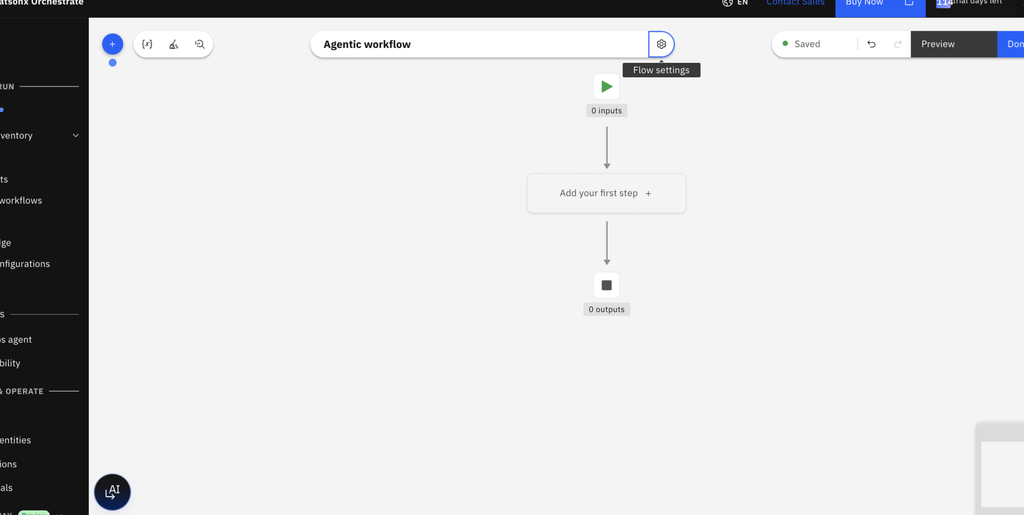
Inside the workflow builder:
- Locate the Flow settings option.
- Click it to open the workflow configuration settings.
- Look for the Agent summarization option.
The Flow settings panel provides centralized access to workflow-level configurations.
Step 3: Enable or Disable Agent Summarization
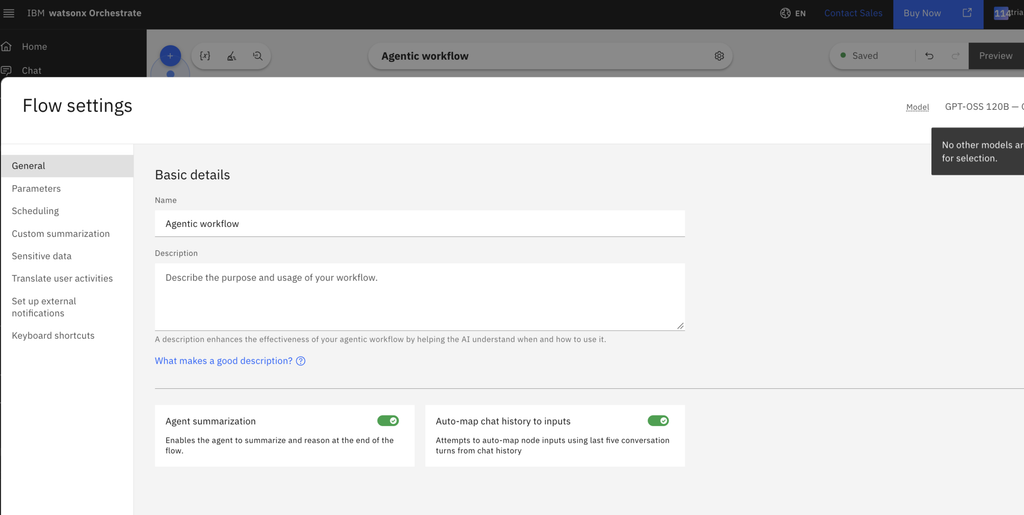
Locate the Agent summarization setting.
- On: Enables agent summarization when the workflow completes.
- Off: Disables the additional summary generated by the agent.
Choose the appropriate setting based on how your workflow presents its final output.
For example:
- Enable it when the workflow performs several background operations and the user needs a consolidated explanation.
- Disable it when the final user activity already displays the complete response.
Step 4: Configure Custom Summarization Instructions
IBM also provides an option to customize the summarization behavior.
To configure it:
- In Flow settings, locate Custom summarization instructions.
- Click Edit.
- Enter the summarization instructions.
- Specify which details must be retained and which information can be safely omitted.
- Click Save.
Note: One important consideration is the default configuration of Agent Summarization.
According to IBM’s documentation:
| Workflow type | Default behavior |
|---|---|
| New workflows created after the July 2026 mid-month release | Agent summarization is disabled |
| Existing workflows | Agent summarization is enabled |
This distinction is important when working with previously created workflows or migrating existing agents.
Developers should review the setting rather than assume that every workflow has the same default configuration.