Managing multiple filters and prompts in a dashboard can sometimes be time-consuming, especially when users want to reset their dashboard and start a fresh analysis.
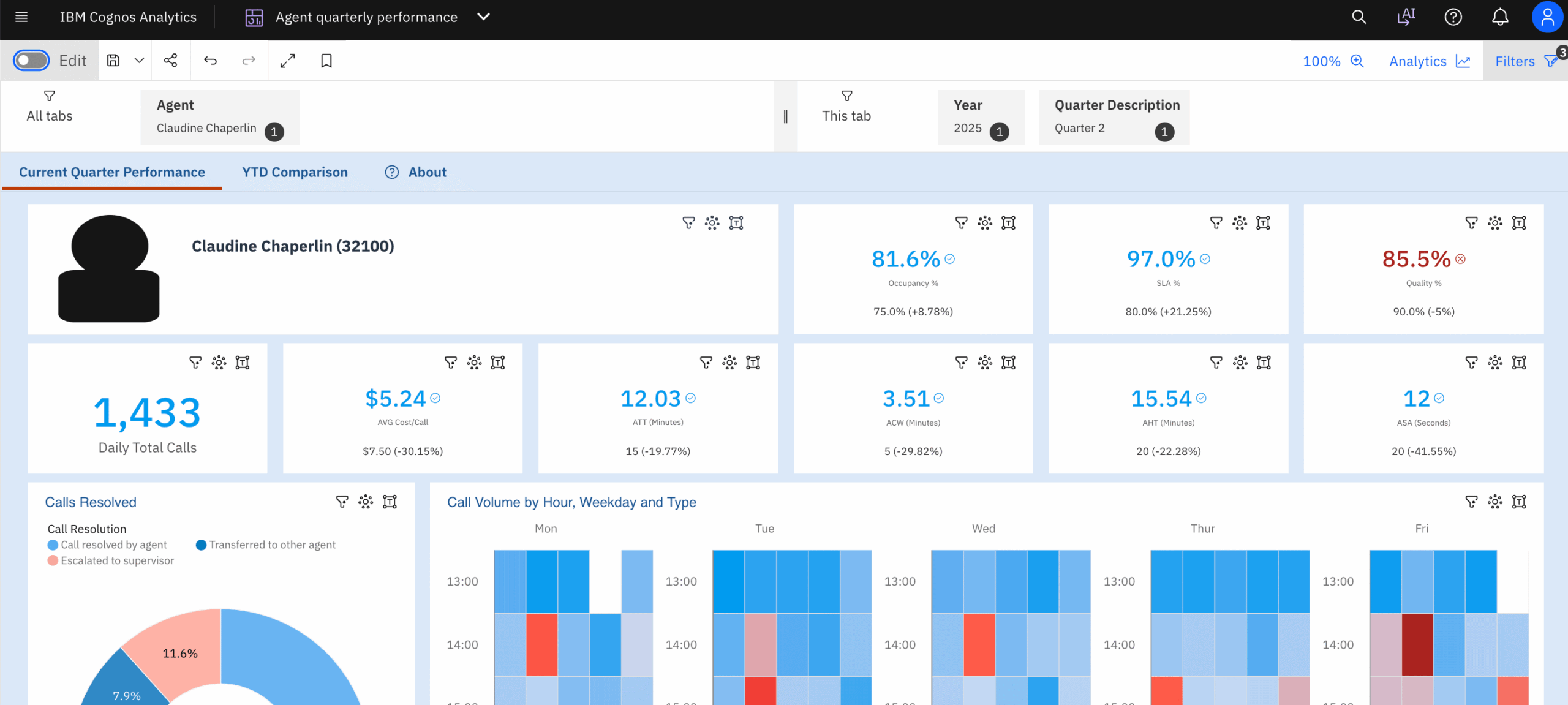
With IBM Cognos Analytics 12.1.3, dashboard users have a convenient way to manage and clear applied filters and prompts from a central location.
Cognos Analytics 12.1.3 provides an option under the dashboard Properties > Filter panel to clear all applied filters and prompts together.
Instead of manually resetting individual filters or prompts, users can access the Filter panel and perform the reset from one place.
Follow these simple steps:
- Open your dashboard in IBM Cognos Analytics 12.1.3.
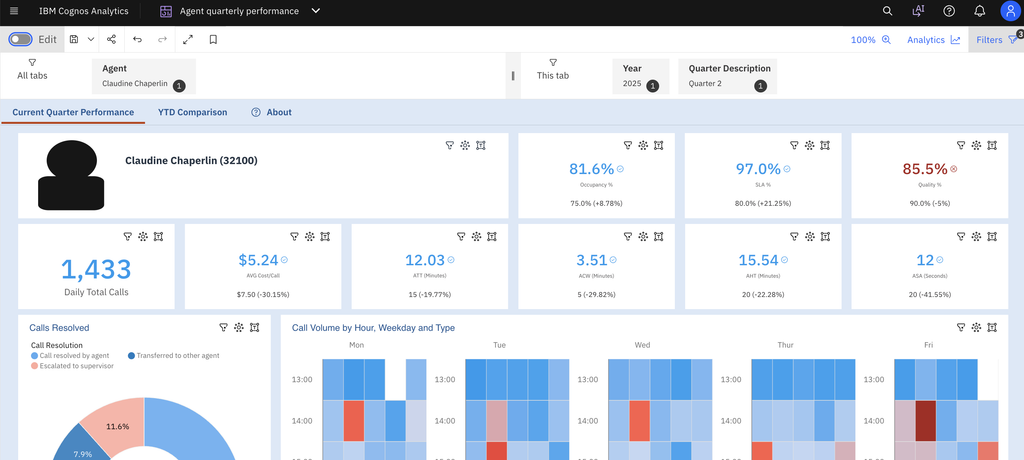
2. Change the dashboard to authoring/edit mode
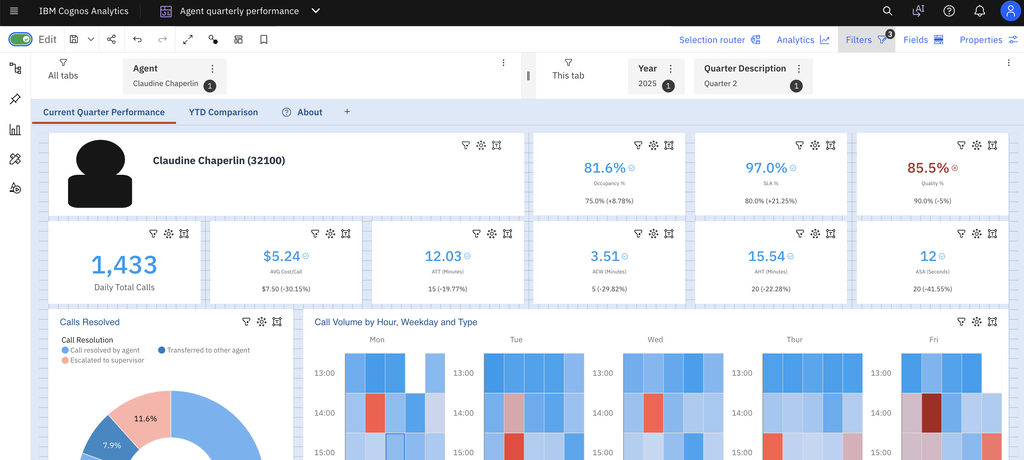
3. Navigate to the dashboard Properties panel and expand the Filter panel section.
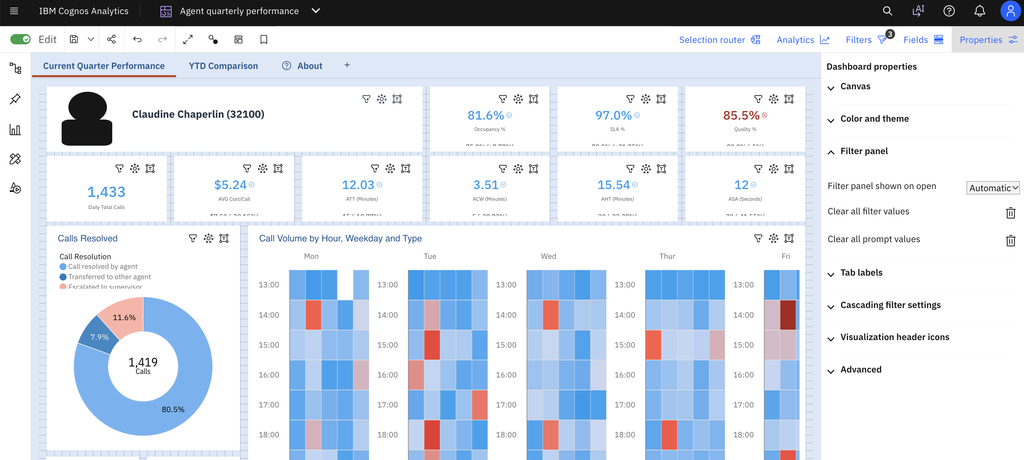
4. You will see two options in it: Clear all filter values and Clear all prompt values
5. Click the clear option to reset the applied filters.
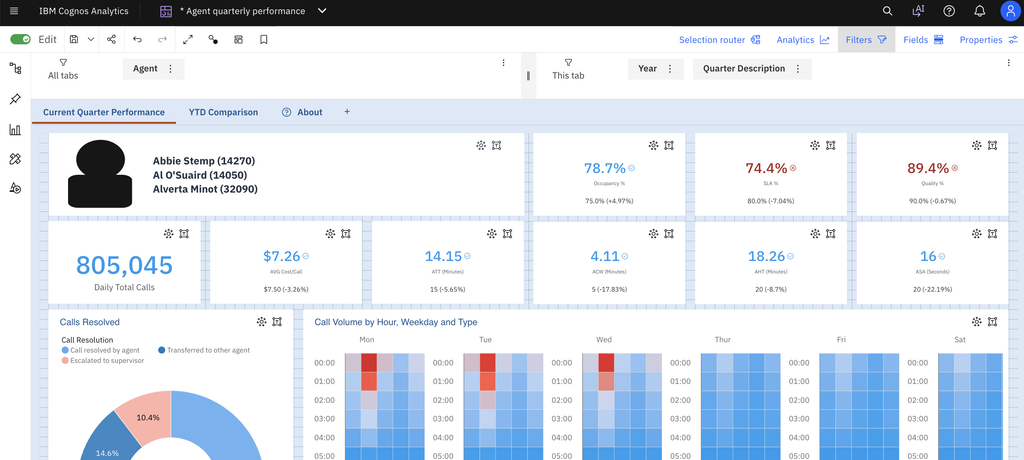
6. Verify that the dashboard has returned to its default filter and prompt state.
This is a useful dashboard usability improvement in Cognos Analytics 12.1.3. Providing a central option to clear filters and prompts makes dashboard navigation simpler and reduces the effort required to reset selections.