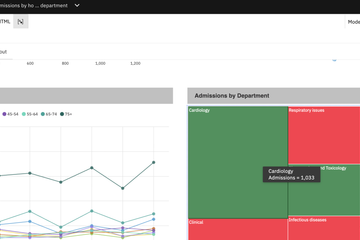
This blog will focus on using the Cognos Analytics Query Agent capability to ask questions in natural language, review the results, and explore follow-up questions.
In this blog, we will explore how to compare year-over-year (YoY) gross profit and unit cost using the Query Agent. This example demonstrates how business users can analyze financial performance through conversational queries and follow-up questions.
Open the Cognos Analytics Assistant
Log in to your IBM Cognos Analytics 12.1.3 environment.
It shows Cognos Analytics Assistant panel in home screen.
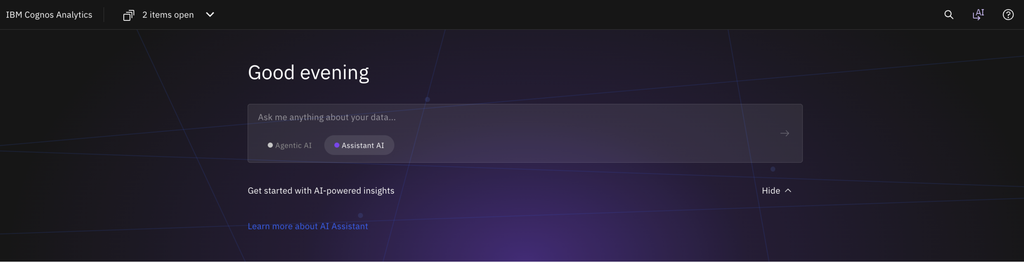
Enter the business question
Type the following prompt into the Assistant panel:
“Compare year-over-year gross profit and unit cost.”
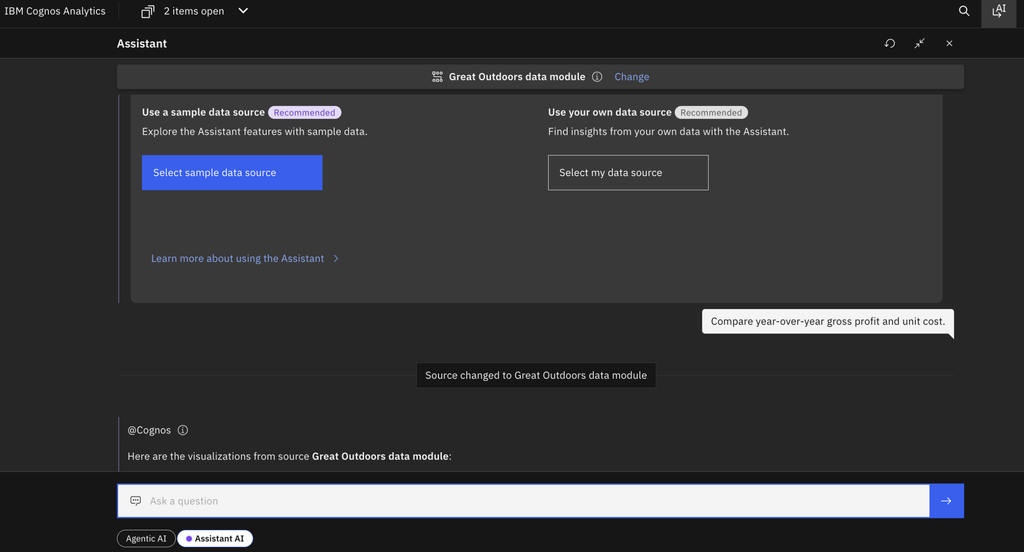
This asks the agent to compare gross margin across business units for the current year and the corresponding previous-year period.
Assistant AI autometically changed to relevant data module and select ‘Great Outdoor data module’

Review the results
Review the response generated by the Query Agent. Depending on the indexed data and supported capabilities, the response may provide a comparison of gross margin across business units.
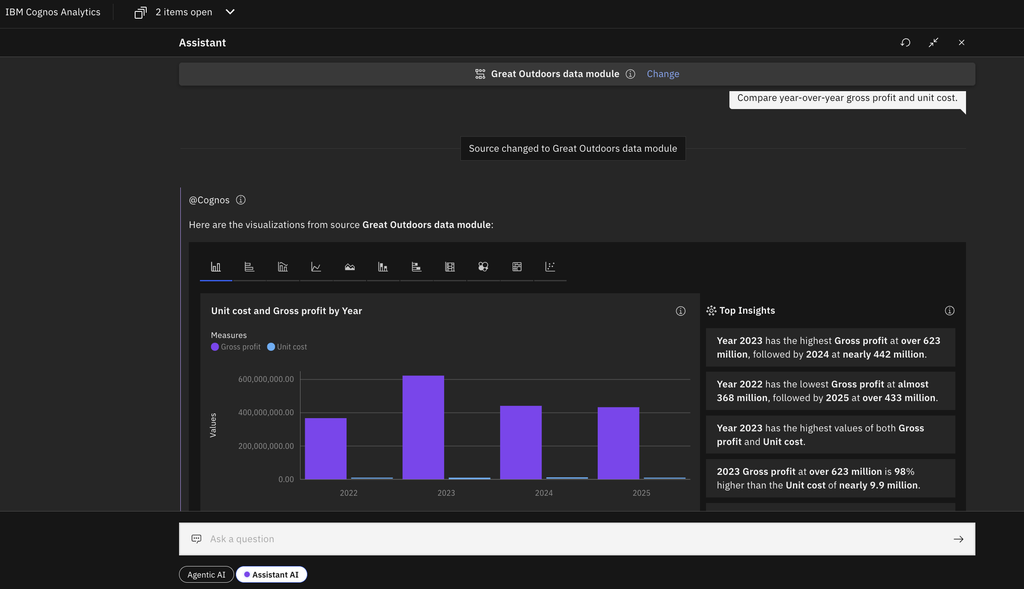
Ensure that the comparison uses equivalent periods and the correct gross margin definition.
Ask a follow-up question
Continue the conversation to investigate specific results.
For example, ask:
“Tell me the gross profit difference over the years in percentage”
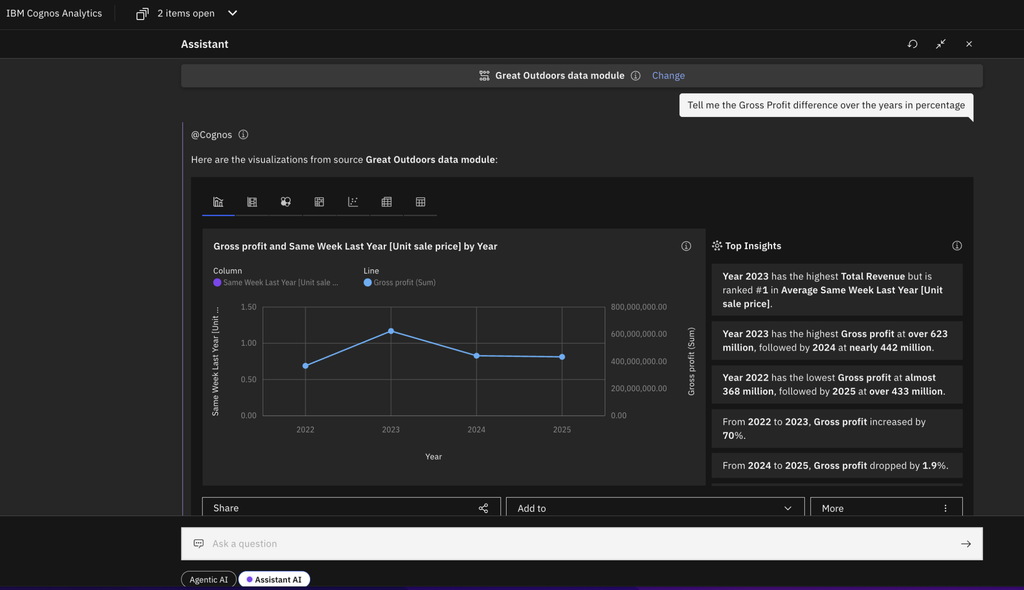
Another case:
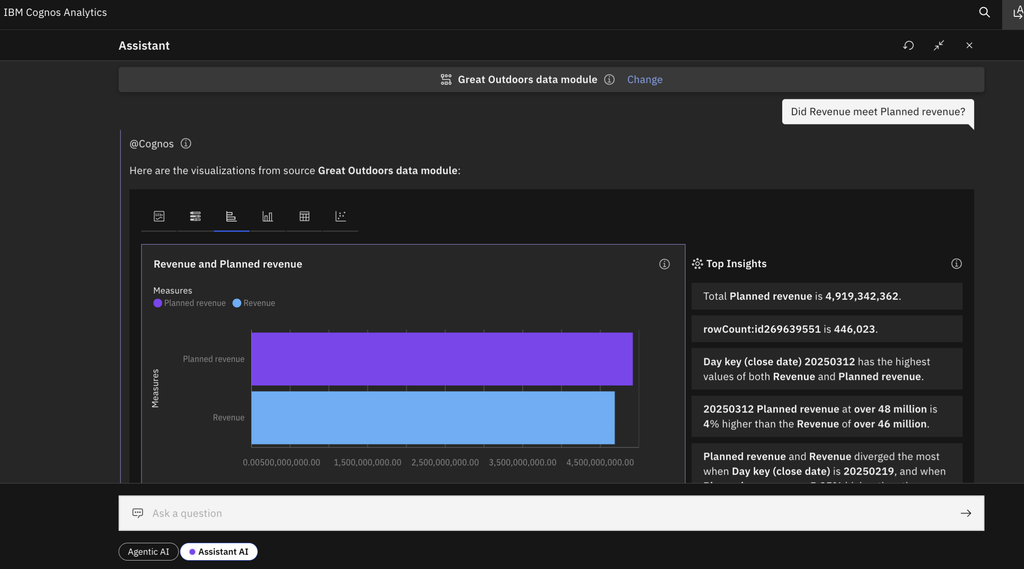
Follow up question:
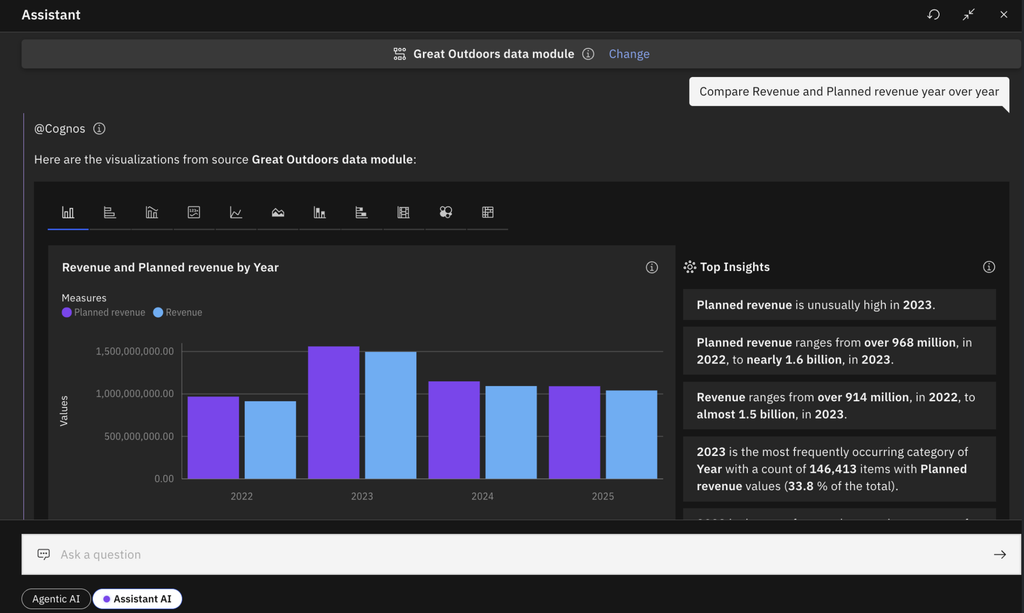
Benefits
- Natural-language analysis: Ask business questions without manually writing SQL.
- Faster exploration: Investigate changes in gross margin through follow-up questions.
- Business-focused insights: Focus on performance trends rather than query construction.
- Interactive analysis: Explore additional dimensions, such as region or business unit, where supported.
Conclusion
The Query Agent in Cognos Analytics 12.1.3 provides a conversational way to explore business data. By asking questions such as “Compare year-over-year gross margin by business unit,” users can begin investigating financial performance and follow up with more specific questions.
Since the Data Query Agent is still evolving, the availability and accuracy of results depend on the indexed data, supported functionality, and configuration of the environment. Validate the results before using them for formal business reporting.